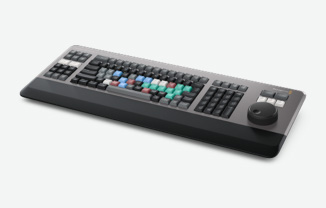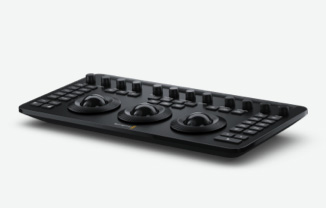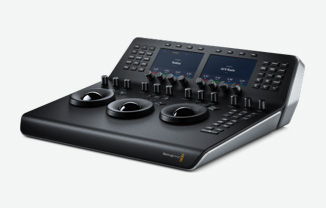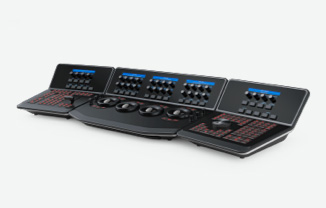
| |
Automatic grade to color balance clips. |
Yes |
Yes |
Yes |
| |
Automatic selection of Camera Raw control based on source clip. |
Yes |
Yes |
Yes |
| |
Automatic 3D LUT generation of grades. |
Yes |
Yes |
Yes |
| |
Automatic 3D object multi point tracker. |
Yes |
Yes |
Yes |
| |
Automatic clip stabilizer with camera pan smoothing. |
Yes |
Yes |
Yes |
| |
Automatic Stereoscopic 3D image alignment. |
Yes |
Yes |
No |
| |
Automatic Stereoscopic 3D color matching. |
Yes |
Yes |
No |
| |
Automatic conforming of XML, AAF and EDL with source clips. |
Yes |
Yes |
Yes |
| |
Automatic re-linking of color corrections between all sessions in one project. |
Yes |
Yes |
Yes |
| |
Automatic relinking of proxy with high resolution clips. |
Yes |
Yes |
Yes |
| |
Automatic timecode sync of dual-system audio. |
Yes |
Yes |
Yes |
| |
Automatic timecode update using audio channel LTC. |
Yes |
Yes |
Yes |
| |
Automatic scene cut detection. |
Yes |
Yes |
Yes |
| |
Unlimited video tracks. |
Yes |
Yes |
Yes |
| New |
Unlimited audio tracks. |
Yes |
Yes |
Yes |
| |
Unlimited nodes of color correction. |
Yes |
Yes |
Yes |
| |
Unlimited primaries and secondaries. |
Yes |
Yes |
Yes |
| |
Unlimited noise reduction node position using CUDA GPUs. |
Yes |
Yes |
No |
| |
Unlimited image gaussian blur. |
Yes |
Yes |
Yes |
| New |
Unlimited OpenFX Plug-ins per clip. |
Yes |
Yes |
Yes |
| New |
Unlimited windows - Circle, linear, polygon, PowerCurve and gradient. |
Yes |
Yes |
Yes |
| New |
Unlimited same shape Power Windows per node. |
Yes |
Yes |
Yes |
| |
Unlimited Object Tracking for precise window and grade control. |
Yes |
Yes |
Yes |
| |
Unlimited image stabilisation nodes. |
Yes |
Yes |
Yes |
| |
Unlimited matte and key defocus. |
Yes |
Yes |
Yes |
| |
Supports HD-SDI monitoring via DeckLink 4K Extreme. |
Yes |
Yes |
Yes |
| |
Supports HD-SDI monitoring via DeckLink Extreme 3D+. |
Yes |
Yes |
Yes |
| |
Supports HD-SDI monitoring via UltraStudio 3D. |
Mac OS X Yes Windows No Linux No |
| |
Supports HD-SDI monitoring via UltraStudio 4K. |
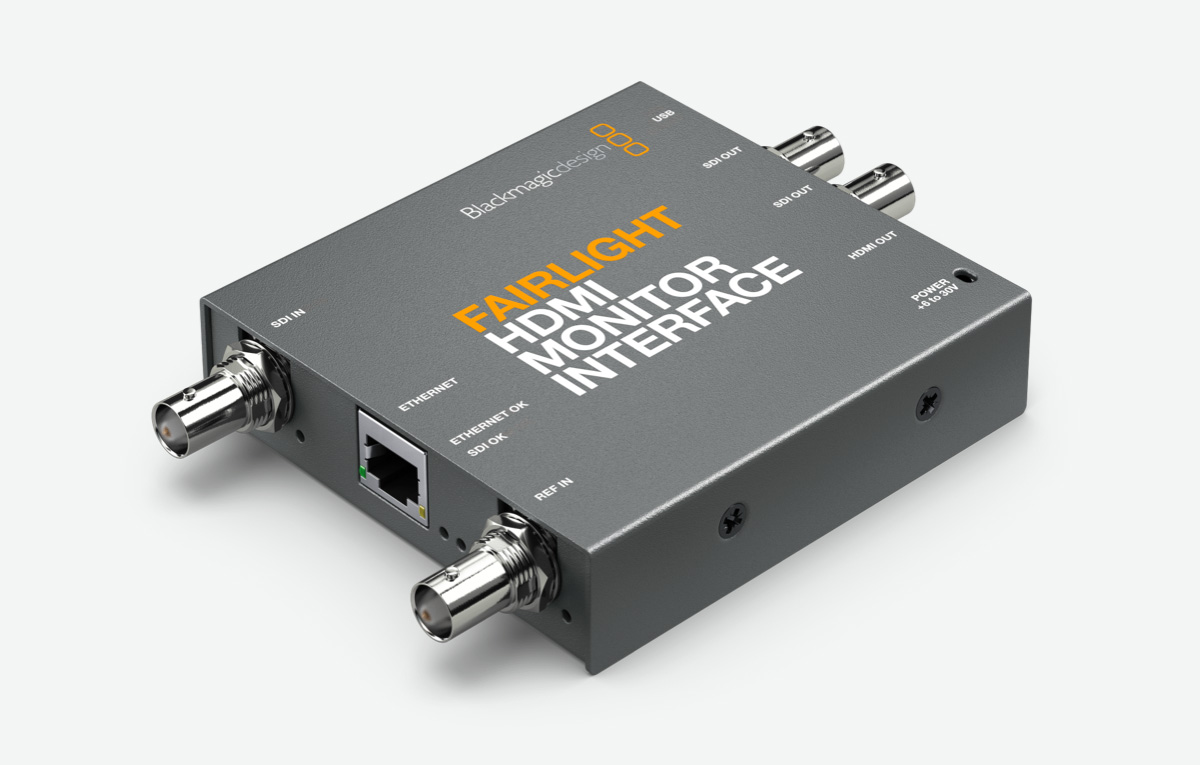
Mac OS X Yes Windows No Linux No |
| |
2K 1080 - 8 and 10 bit YUV or RGB video monitoring. |
Yes |
Yes |
No |
| |
HD 1080 - 8, 10 and 12 bit YUV or RGB video monitoring. |
Yes |
Yes |
Yes |
| |
HD 720 - 8 and 10 bit RGB or YUV video monitoring. |
Yes |
Yes |
Yes |
| |
Standard Definition (NTSC/PAL) 8 and 10 bit RGB or YUV video monitoring. |
Yes |
Yes |
Yes |
| |
Legal scaled or full range output levels. |
Yes |
Yes |
Yes |
| |
Selectable application of 3:2 pulldown. |
Yes |
Yes |
Yes |
| |
Selectable XYZ color space for DCI compliant grading. |
Mac OS X No Windows No Linux Yes |
No |
No |
| |
Scalable clustered GPU image processing for super computer performance. |
3 on Mac OS X 4 on Windows 8 on Linux |
3 on Mac 4 on Windows |
1 GPU |
| |
Supports NVidia CUDA GPUs for performance grading. |
Yes |
Yes |
Yes |
| |
Supports AMD Radeon GPUs using OpenCL for HD resolution grading. |
Mac OS X Yes Windows No Linux No |
Mac OS X Yes Windows No |
| |
Multiple Red Rocket support. |
Yes |
Yes |
1 Red Rocket |
| |
Modular hardware configuration, upgradable as project demand requires. |
Yes |
Yes |
Yes |
| |
Scalable Linux computer systems using Infiniband. |
Mac OS X No Windows No Linux Yes |
No |
No |
| |
Scalable PCIe slots via Cubix and Cyclone Expander chassis. |
Yes |
Yes |
Yes |
| |
Scaleable hardware configurations for faster than real time renders. |
Yes |
Yes |
Yes |
| |
Second user interface monitor support for video scopes. |
Yes |
Yes |
Yes |
| |
User interface screen resolution support from 1680 x 1050 up to 2560 x 1440. |
Yes |
Yes |
Yes |
| |
User interface is fast to use, clean, pictorial, logical and easy to navigate. |
Yes |
Yes |
Yes |
| |
Graphical representations of every project, timeline, track, clip, grade, node and still are updated as you grade. |
Yes |
Yes |
Yes |
| |
Grading controls are on one screen so its quick and easy to change a grade. |
Yes |
Yes |
Yes |
| |
Real time viewer display including cursors and extents markers. |
Yes |
Yes |
Yes |
| |
Lightbox view of all thumbnails, or those selected by flags or other sort and filters. |
Yes |
Yes |
Yes |
| New |
Enhanced Lightbox view includes color control palettes and keyframe timeline. |
Yes |
Yes |
Yes |
| New |
Lightbox view available on SDI output. |
Yes |
Yes |
Yes |
| New |
Split screen viewer and SDI display for quick comparison of grades. |
Yes |
Yes |
Yes |
| New |
Display multiple grade versions, clip before and after current, selected clips or clips in a group. |
Yes |
Yes |
Yes |
| |
Playback speed and real time playback indication. |
Yes |
Yes |
Yes |
| |
Node graph pictorial view of signal processing workflow. |
Yes |
Yes |
Yes |
| |
Name nodes for quick identification. |
Yes |
Yes |
Yes |
| |
Stills, memories and PowerGrades shown visually and selectable with a mouse click. |
Yes |
Yes |
Yes |
| |
Stereoscopic side-by-side, checkerboard and anaglyth difference display. |
Yes |
Yes |
No |
| |
Clip keyframes and transitions visually represented and independently adjustable. |
Yes |
Yes |
Yes |
| |
User selectable viewer, stills and node graph window sizing. |
Yes |
Yes |
Yes |
| |
User selectable multiple timecode, frame number and keycode displays. |
Yes |
Yes |
Yes |
| |
System status display on color screen for instant review. |
Yes |
Yes |
Yes |
| |
Hover over node to reveal list of changed items. |
Yes |
Yes |
Yes |
| |
Hover actions for tool tips. |
Yes |
Yes |
Yes |
| |
Hover node over link to auto connect. |
Yes |
Yes |
Yes |
| |
One click selection of timeline to play and grade. |
Yes |
Yes |
Yes |
| |
Clip details window for instant review of source clip format and image type. |
Yes |
Yes |
Yes |
| |
Sort and filter timeline thumbnails by flags, markers, shots not rendered, not graded and shots modified since xx time. |
Yes |
Yes |
Yes |
| New |
Filters also for grouped, different frame rate, NR, Input PTZR and matte clips and with common Media Pool source. |
Yes |
Yes |
Yes |
| New |
Media and Edit screen viewers include zoom to fit and size selector. |
Yes |
Yes |
Yes |
| New |
User selectable switching clip selection for first, last or current node position on node editor. |
Yes |
Yes |
Yes |
| |
User selectable automatic viewer switching to SDI video output. |
Yes |
Yes |
Yes |
| |
Enhanced viewer mode for accurate window and qualifier selections. |
Yes |
Yes |
Yes |
| |
Cinema mode offering clean full screen review of graded material. |
Yes |
Yes |
Yes |
| New |
Full screen viewer for accurate freeform shape drawing. |
Yes |
Yes |
Yes |
| New |
Power Windows Overlays of selected window is highlighted for easy identification. |
Yes |
Yes |
Yes |
| New |
Menu bar for quick selection of user options. |
Yes |
Yes |
Yes |
| |
Dedicated page for creating rendered deliverables including viewer and timeline with thumbnails. |
Yes |
Yes |
Yes |
| |
Simple scroll User Icon and select to login. |
Yes |
Yes |
Yes |
| |
Individual colorist password protected login. |
Yes |
Yes |
Yes |
| |
Browse and select projects with scrubbable thumbnail or list view. |
Yes |
Yes |
Yes |
| |
Double-click thumbnails for fast project loading. |
Yes |
Yes |
Yes |
| |
Search project by name or format. |
Yes |
Yes |
Yes |
| |
Sort project by name, creation or modified date, or frame rate. |
Yes |
Yes |
Yes |
| New |
Arrange and save projects in folders for easy organization. |
Yes |
Yes |
Yes |
| New |
Hover over project folders to reveal project and timeline count. |
Yes |
Yes |
Yes |
| |
Project count displayed per user in thumbnail and list view. |
Yes |
Yes |
Yes |
| |
Import projects from other users and databases. |
Yes |
Yes |
Yes |
| |
Export projects to archive with or without stills, EDLs, LUTs and audio. |
Yes |
Yes |
Yes |
| |
Supports Disk Database to share users and projects. |
Yes |
Yes |
Yes |
| |
One click selection of alternative databases to import projects. |
Yes |
Yes |
Yes |
| |
User add, delete and connect to new project database. |
Yes |
Yes |
Yes |
| |
Optional PostgreSQL database to share users and projects. |
Yes |
Yes |
Yes |
| |
Database Server Option to share database with multiple Resolves. |
Yes |
Yes |
No |
| |
Read and write project files to the external database server for concurrent project use. |
Yes |
Yes |
No |
| |
Use standard IT industry practice for daily backups. |
Yes |
Yes |
Yes |
| |
System Overview displays installed GPUs and RED Rockets. |
Yes |
Yes |
Yes |
| |
User configuration parameters saved per project. |
Yes |
Yes |
Yes |
| |
Instantly switch between multiple preset configuration. |
Yes |
Yes |
Yes |
| |
Configure project templates including resolution, aspect ratio, bit depth and playback speed. |
Yes |
Yes |
Yes |
| |
Separate Timeline and Conform settings for maximum flexibility. |
Yes |
Yes |
Yes |
| |
Configure monitoring color space, format, matrix and synchronisation. |
Yes |
Yes |
Yes |
| |
Optimised display mode option for playback. |
Yes |
Yes |
Yes |
| New |
Half and quarter resolution debayer options for low GPU powered systems. |
Yes |
Yes |
Yes |
| New |
Separate debayer and image sizing options play vs. stop for low GPU powered systems. |
Yes |
Yes |
Yes |
| |
Unique version name preset to speed addition of graded versions. |
Yes |
Yes |
Yes |
| |
Control deck I/O parameters including pre-roll and timing synchronization. |
Yes |
Yes |
Yes |
| |
Automatic backup of projects with user selectable duration between saves. |
Yes |
Yes |
Yes |
| |
Browse and select clips in the Media Library with resizable and scrubbable thumbnail or list view. |
Yes |
Yes |
Yes |
| |
Sort and search folders and clips. |
Yes |
Yes |
Yes |
| |
Hover over clip to reveal metadata. |
Yes |
Yes |
Yes |
| |
Embedded audio icon indicates clips with audio. |
Yes |
Yes |
Yes |
| |
Drag and drop clips from library to bins and between bins. |
Yes |
Yes |
Yes |
| |
Clip details metadata display for instant view of source clip format and image type. |
Yes |
Yes |
Yes |
| |
Media Pool list view displays in and out timecodes, frame counts, clip name and path, LUT's, IDT, Aspect Ratio, video/data level, frame rate, and audio channels. |
Yes |
Yes |
Yes |
| |
Search for clips and add to Media Pool based on EDL. |
Yes |
Yes |
Yes |
| |
Search for sub clips and add to Media Pool based on EDL. |
Yes |
Yes |
Yes |
| |
Integrated clip task manager for clip conversion and copies. |
Yes |
Yes |
Yes |
| |
Convert non real time file formats to DPX for grading. |
Yes |
Yes |
Yes |
| |
Copy and manage both DPX sequences and clips. |
Yes |
Yes |
Yes |
| |
Copy and manage image files from near-line to online SAN storage. |
Yes |
Yes |
Yes |
| |
Create and delete folders, files and bins. |
Yes |
Yes |
Yes |
| |
Re-name files and bins. |
Yes |
Yes |
Yes |
| |
Sort files in virtual bins. |
Yes |
Yes |
Yes |
| |
Search and re-link replacement clips to new parent folders. |
Yes |
Yes |
Yes |
| |
Change timecode and rewrite header. |
Yes |
Yes |
Yes |
| |
Soft offset of source timecode. |
Yes |
Yes |
Yes |
| |
Clip task manager status display to manage SAN I/O. |
Yes |
Yes |
Yes |
| |
Supports 100+ production metadata fields for entering on-set shot notes. |
Yes |
Yes |
Yes |
| New |
Modify and add metadata while syncing dual system audio. |
Yes |
Yes |
Yes |
| New |
User definable metadata preset list. |
Yes |
Yes |
Yes |
| New |
Media Pool metadata fields include shot, scene, take and camera roll. |
Yes |
Yes |
Yes |
| |
Modify and add to multiple clips with multiple metadata fields at the same time. |
Yes |
Yes |
Yes |
| |
Add flags to clips for fast and easy location and sorting. |
Yes |
Yes |
Yes |
| |
Audio playback support for up to 16 tracks per source clip and PCM audio rendering in both QuickTime and MXF. |
Yes |
Yes |
Yes |
| |
Dual-system audio auto-sync via timecode to automatically match multiple video clips. |
Yes |
Yes |
Yes |
| |
High precision dual-scale audio waveform display in source viewer. |
Yes |
Yes |
Yes |
| |
Playback of BWF and embedded audio clips with audio waveform display. |
Yes |
Yes |
Yes |
| |
16 channel audio meters with selectable dB and dBu scale. |
Yes |
Yes |
Yes |
| |
User-selectable reference alignment levels for dBu scale. |
Yes |
Yes |
Yes |
| |
Supports mixed source clip frame rate. |
Yes |
Yes |
Yes |
| |
Optional automatic creation of the Master timeline to match the Media Pool. |
Yes |
Yes |
Yes |
| |
Edit timeline name and start timecode. |
Yes |
Yes |
Yes |
| |
Master and Default timelines can be sorted in timecode order or reel number and timecode order. |
Yes |
Yes |
Yes |
| |
Conform clips using multiple layer XML, AAF or EDL metadata. |
Yes |
Yes |
Yes |
| |
Conform with reel name extracted from the file name. |
Yes |
Yes |
Yes |
| |
Use timecode embedded in the source clip or clip frame count. |
Yes |
Yes |
Yes |
| |
Conform partial clips with black gaps. |
Yes |
Yes |
Yes |
| |
Assist conform with reel name from user defined clip file path. |
Yes |
Yes |
Yes |
| |
Assist conform with underscore reel numbers from r3d files. |
Yes |
Yes |
Yes |
| |
Assist conform with reel numbers from the media pool folder or source embedding. |
Yes |
Yes |
Yes |
| |
Manual and automatic force conform to specific clip. |
Yes |
Yes |
Yes |
| |
Conform with user defined reel names in media pool. |
Yes |
Yes |
Yes |
| |
Re-conform from folders to add or remove clips. |
Yes |
Yes |
Yes |
| |
Generate new session with or without user defined handles. |
Yes |
Yes |
Yes |
| |
Automatic frame syncing between switched sessions. |
Yes |
Yes |
Yes |
| |
Supports drop frame timecode. |
Yes |
Yes |
Yes |
| |
Copy and paste clip keyboard shortcuts in conform timeline. |
Yes |
Yes |
Yes |
| |
Display source timecode option in conform timeline viewer. |
Yes |
Yes |
Yes |
| |
16 channel audio meters with selectable dB and dBu scale. |
Yes |
Yes |
Yes |
| New |
Multi-track audio editing. |
Yes |
Yes |
Yes |
| New |
High quality optical flow speed changes. |
Yes |
Yes |
Yes |
| New |
Static, lower third, scroll and crawl titles. |
Yes |
Yes |
Yes |
| New |
Support for compound clips. |
Yes |
Yes |
Yes |
| New |
Transform, crop and opacity video effects. |
Yes |
Yes |
Yes |
| New |
Multiple take selector. |
Yes |
Yes |
Yes |
| New |
Stereoscopic 3D editing. |
Yes |
Yes |
Yes |
| New |
Bars, tone and slate generators. |
Yes |
Yes |
Yes |
| |
One click selection of timeline to conform and edit. |
Yes |
Yes |
Yes |
| |
Pictorial based multi track editing. |
Yes |
Yes |
Yes |
| |
Supports user-selectable keyboard shortcut template match popular editing functions. |
Yes |
Yes |
Yes |
| |
Supports speed changes and speed warps from FCP XML and Avid AAF with handles. |
Yes |
Yes |
Yes |
| |
Consolidate RED r3d clips via trimming to new extents, with handles. |
Yes |
Yes |
Yes |
| |
Preview composite of all tracks in real time. |
Yes |
Yes |
Yes |
| |
Supports drag and drop editing on and between tracks. |
Yes |
Yes |
Yes |
| |
Supports drag and drop effects from Effects Pool. |
Yes |
Yes |
Yes |
| |
Mark in and mark out of source clip. |
Yes |
Yes |
Yes |
| |
Insert and overwrite source clip to any track. |
Yes |
Yes |
Yes |
| |
Add or delete; clips, cuts, dissolves or speed changes. |
Yes |
Yes |
Yes |
| |
Supports slip, slide, roll and ripple. |
Yes |
Yes |
Yes |
| New |
Split viewer display of both clips when edit trimming. |
Yes |
Yes |
Yes |
| |
Supports two and three point editing. |
Yes |
Yes |
Yes |
| New |
Support for four point fit-to-fill editing with optical flow retiming. |
Yes |
Yes |
Yes |
| |
Supports edit trimming with clip extents display. |
Yes |
Yes |
Yes |
| |
Expandable timeline view for long edit sessions. |
Yes |
Yes |
Yes |
| |
Three timeline thumbnail layout options with resizable tracks. |
Yes |
Yes |
Yes |
| |
Add, delete and lock tracks. |
Yes |
Yes |
Yes |
| |
Optional audio waveform display on tracks. |
Yes |
Yes |
Yes |
| |
Eight different color user positioned flags to mark clips. |
Yes |
Yes |
Yes |
| |
Eight different color user positioned markers for frame identification. |
Yes |
Yes |
Yes |
| |
Undo and redo edits with history display. |
Yes |
Yes |
Yes |
| New |
Edit screen media pool clip scrubber. |
Yes |
Yes |
Yes |
| |
Multiple track Final Cut Pro™ 7 XML timeline support. |
Yes |
Yes |
Yes |
| |
Supports Final Cut Pro™ 7 XML v5 import and export. |
Yes |
Yes |
Yes |
| |
Includes the automatic setting of Resolves timeline resolution and frame rate. |
Yes |
Yes |
Yes |
| |
Also allows one click importing and linking of source clips. |
Yes |
Yes |
Yes |
| |
Supports relinking events and clips when reimporting a changed Final Cut Pro™ 7 edit via XML. |
Yes |
Yes |
Yes |
| |
Supports cuts, cross dissolves and opacity. |
Yes |
Yes |
Yes |
| |
Supports Final Cut Pro 7 XML clip by clip selectable import of image sizing data. |
Yes |
Yes |
Yes |
| |
Supports the following FCP7 effects: cross, diamond and oval iris; centre, clock, edge and venetian blind wipe. |
Yes |
Yes |
Yes |
| |
Supports wipe borders with softness. |
Yes |
Yes |
Yes |
| |
Supports the following FCP7 composite modes: Add, subtract, difference, multiply, screen, overlay, darken and lighten. |
Yes |
Yes |
Yes |
| |
Supports Final Cut Pro™ XML export including file location metadata. |
Yes |
Yes |
Yes |
| |
Supports Final Cut Pro™ X XML round trip. |
Yes |
Yes |
Yes |
| |
Supports cuts, dissolves and speed changed events. |
Yes |
Yes |
Yes |
| |
Ignore file extension option when conforming using XML. |
Yes |
Yes |
Yes |
| |
Automatic XML, AAF and EDL conforming of online clips. |
Yes |
Yes |
Yes |
| |
Synchronized playback of online and offline images to check conform. |
Yes |
Yes |
Yes |
| |
Conform EDL highlights current clip on current track. |
Yes |
Yes |
Yes |
| |
Automatic media pool clip sync. |
Yes |
Yes |
Yes |
| |
Supports multiple offline clips with individual timecode offset. |
Yes |
Yes |
Yes |
| |
User selectable offline image shine through for missing conform clips. |
Yes |
Yes |
Yes |
| |
User selectable automatic EDL hole replacement with black clip. |
Yes |
Yes |
Yes |
| |
Offline and online image sync on color and conform screen. |
Yes |
Yes |
Yes |
| |
Auto location of clips in the Media Pool to find missing clips. |
Yes |
Yes |
Yes |
| |
Supports industry standard CMX3600 EDLs with cuts, cross dissolves and speed changes. |
Yes |
Yes |
Yes |
| |
Load multiple EDLs and offline video to conform, edit, and display in sync with online image. |
Yes |
Yes |
Yes |
| |
Automatically conforms source images to EDL. |
Yes |
Yes |
Yes |
| |
Conform from timecode in header, reel number and file path. |
Yes |
Yes |
Yes |
| |
Conform partial clips. |
Yes |
Yes |
Yes |
| |
Supports FCP, Avid and Discreet EDLs with long reel names for conforming and selects grade. |
Yes |
Yes |
Yes |
| |
Conform native RED R3D files using absolute or time of day code. |
Yes |
Yes |
Yes |
| |
Conform and auto load source clips to Media Pool. |
Yes |
Yes |
Yes |
| |
Import pre-conformed clips and auto match grades. |
Yes |
Yes |
Yes |
| |
Source and record mode for pre-conformed projects. |
Yes |
Yes |
Yes |
| |
Single and multiple clip reel name editing. |
Yes |
Yes |
Yes |
| |
Import and Export SMPTE standard EDLs. |
Yes |
Yes |
Yes |
| |
Load EDL to new track in existing session. |
Yes |
Yes |
Yes |
| |
Export EDL of missing clips. |
Yes |
Yes |
Yes |
| |
Automatically detects scene cuts 5X faster than real time. |
Yes |
Yes |
Yes |
| |
Visual display of the last frame of scene next to first and second frame of the next scene. |
Yes |
Yes |
Yes |
| |
Autocue display of all cuts as detected in real time. |
Yes |
Yes |
Yes |
| |
Includes user variable pre, during and post detection threshold. |
Yes |
Yes |
Yes |
| |
Automatically split a single clip into subclips within the media pool. |
Yes |
Yes |
Yes |
| |
Includes scene cut add and delete. |
Yes |
Yes |
Yes |
| |
Includes prune within marked in and out range. |
Yes |
Yes |
Yes |
| |
Generate an EDL or pull list from the scene detector. |
Yes |
Yes |
Yes |
| |
Load a previously generated EDL or pull list. |
Yes |
Yes |
Yes |
| |
Multitrack timeline displayed including transition effects. |
Yes |
Yes |
Yes |
| |
Support for cuts, dissolves, wipes, speed changes and composite mix of tracks. |
Yes |
Yes |
Yes |
| |
Grades for all timelines automaticly link to the Master Timeline. |
Yes |
Yes |
Yes |
| |
Switching timelines updates clips and grades instantly. |
Yes |
Yes |
Yes |
| |
Real time timeline synchronized frame indication during playback. |
Yes |
Yes |
Yes |
| |
Audio playback in color screen. |
Yes |
Yes |
Yes |
| |
Customisable loop mode for clips or marked timeline. |
Yes |
Yes |
Yes |
| |
User configurable cue offsets. |
Yes |
Yes |
Yes |
| New |
Motion Effects palette with noise reduction and motion blur. |
Yes |
Yes |
No |
| New |
Real time playback and grading with spatial noise reduction using CUDA GPUs. |
Yes |
Yes |
No |
| New |
High quality temporal noise reduction using CUDA GPUs. |
Yes |
Yes |
No |
| New |
Separate luminance and chrominance noise reduction controls |
Yes |
Yes |
No |
| |
Noise reduction can be used in any node in any position on the node graph. |
Yes |
Yes |
No |
| |
Noise reduction area can be qualified by HSL, windows and mattes. |
Yes |
Yes |
No |
| |
User definable noise reduction threshold. |
Yes |
Yes |
No |
| |
User definable noise reduction influence radius. |
Yes |
Yes |
No |
| |
User definable noise reduction blend of original and noise reduced image. |
Yes |
Yes |
No |
| |
Live display of noise reduction influence while adjusting. |
Yes |
Yes |
No |
| |
Noise reduction controls on BMD panel and color user interface screen. |
Yes |
Yes |
No |
| New |
Motion Blur effects simulating aperture and shutter angle lens control. |
Yes |
Yes |
No |
| New |
Motion Blur controls include blend and number of analysed frames. |
Yes |
Yes |
No |
| |
Unlimited primary and printer light grading. |
Yes |
Yes |
Yes |
| |
Lift, gamma and gain adjustments with master gain and offset. |
Yes |
Yes |
Yes |
| |
Independent saturation and hue controls. |
Yes |
Yes |
Yes |
| |
Unique luminance mix control. |
Yes |
Yes |
Yes |
| New |
Contrast control with pivot to define center of contrast range. |
Yes |
Yes |
Yes |
| New |
AutoGrade with auto white and black balance. |
Yes |
Yes |
Yes |
| |
Printer light incremental offset controls for log grading steps. |
Yes |
Yes |
Yes |
| New |
Printer light grading using computer keyboard numerical keypad. |
Yes |
Yes |
Yes |
| |
Calibration control of printer lights to match film lab aim densities. |
Yes |
Yes |
Yes |
| |
Dedicated control palette for Camera Raw sources. |
Yes |
Yes |
Yes |
| |
Automatic selection of Camera Raw control based on source clip. |
Yes |
Yes |
Yes |
| |
Real time decoding and playback of camera Raw clips. |
Yes |
Yes |
Yes |
| |
User selectable decode controls per project and per clip. |
Yes |
Yes |
Yes |
| New |
Half and quarter resolution debayer options for low GPU powered systems. |
Yes |
Yes |
Yes |
| New |
Separate debayer and image sizing options play vs. stop for low GPU powered systems. |
Yes |
Yes |
Yes |
| |
Use camera metadata or individual clip decoder controls. |
Yes |
Yes |
Yes |
| |
Supports CinemaDNG clips with Highlight Recovery for over exposed clips. |
Yes |
Yes |
Yes |
| |
Individual DaVinci Resolve control panel controls for all parameters. |
Yes |
No |
No |
| |
Gang, adjust and apply one or multiple decode parameters. |
Yes |
Yes |
Yes |
| |
Copy one or multiple decode parameters to other clips. |
Yes |
Yes |
Yes |
| |
Unlimited Curves grading with HSL curves and qualification control. |
Yes |
Yes |
Yes |
| |
Select from; Hue vs. Hue; Hue vs. Sat; Hue vs. Lum and Lum vs. Sat curves. |
Yes |
Yes |
Yes |
| |
Parallel mixing of separate curves grades permits concurrent use. |
Yes |
Yes |
Yes |
| |
Select manually or use the six vector selection with a mouse click. |
Yes |
Yes |
Yes |
| |
Hue and lum selection also available with screen color picker. |
Yes |
Yes |
Yes |
| |
Bezier control of all curves grades. |
Yes |
Yes |
Yes |
| |
Individual DaVinci Resolve control panel controls for all parameters. |
Yes |
Yes |
No |
| |
Curves grade controls from user interface. |
Yes |
Yes |
Yes |
| |
Addition or deletion of control points added by panel and mouse. |
Yes |
Yes |
Yes |
| |
Unlimited secondaries grading. |
Yes |
Yes |
Yes |
| |
User definable hue, saturation, luminance (HSL), RGB and LUM only qualifiers. |
Yes |
Yes |
Yes |
| |
Qualifier softness, slope, width and symmetry control form every secondary. |
Yes |
Yes |
Yes |
| |
Sat high and low qualifier with low and high softness. |
Yes |
Yes |
Yes |
| |
Lum high and low qualifier with low and high softness. |
Yes |
Yes |
Yes |
| |
Grey or black and white highlight control to quickly see qualification. |
Yes |
Yes |
Yes |
| |
Grading screen or user interface color picker with automatic range control. |
Yes |
Yes |
Yes |
| |
Add or subtract selected points with variable softness. |
Yes |
Yes |
Yes |
| |
Shrink and grow qualifiers for super clean keys. |
Yes |
Yes |
Yes |
| New |
Unlimited circle, linear, polygon power curve and gradient Power Windows per node. |
Yes |
Yes |
Yes |
| New |
Multiple same shape Power Windows per node. |
Yes |
Yes |
Yes |
| New |
Power Window presets to combine multiple windows. |
Yes |
Yes |
Yes |
| |
Dedicated control palette for Power Windows displays selected window and position. |
Yes |
Yes |
Yes |
| |
Windows provide inside or outside grading control. |
Yes |
Yes |
Yes |
| |
Circular windows with variable softness and aspect. |
Yes |
Yes |
Yes |
| |
Linear windows with independent edge softness. |
Yes |
Yes |
Yes |
| |
Polygon windows with variable inside and outside softness. |
Yes |
Yes |
Yes |
| |
PowerCurve free form windows with bezier curves. |
Yes |
Yes |
Yes |
| New |
PowerCurve windows include independent entry and exit per point bezier adjustment. |
Yes |
Yes |
Yes |
| |
PowerCurve windows include independent inside and outside per point softness. |
Yes |
Yes |
Yes |
| New |
Gradient Power Window with single click softness control. |
Yes |
Yes |
Yes |
| New |
Command key selection to dynamically adjust overall window size. |
Yes |
Yes |
Yes |
| |
All window have position and rotation controls. |
Yes |
Yes |
Yes |
| |
Use matte and mask to combine multiple windows in one node. |
Yes |
Yes |
Yes |
| |
Power Window size and position tracks image sizing changes. |
Yes |
Yes |
Yes |
| |
Dedicated control palette for Tracker displays keyframe path. |
Yes |
Yes |
Yes |
| New |
Tracking metadata can be copied and pasted to other windows. |
Yes |
Yes |
Yes |
| |
Unlimited object tracking per clip. |
Yes |
Yes |
Yes |
| |
One click tracking for precise window and grade control. |
Yes |
Yes |
Yes |
| |
Track forward or reverse from any point in the clip. |
Yes |
Yes |
Yes |
| |
Re-track any portion of the clip. |
Yes |
Yes |
Yes |
| |
Show track and interactively edit track postion. |
Yes |
Yes |
Yes |
| |
Clip and keyframe manual track editing. |
Yes |
Yes |
Yes |
| |
Manual insertion and removal of track points. |
Yes |
Yes |
Yes |
| |
Interpolation between track marks to close two tracks. |
Yes |
Yes |
Yes |
| |
Individual pan, tilt, zoom and rotation selections for track. |
Yes |
Yes |
Yes |
| |
Input, output and external key gain and offset control. |
Yes |
Yes |
Yes |
| |
Post mix gain and offset control for blending images. |
Yes |
Yes |
Yes |
| |
Use key mixers to combine multiple qualifiers in one grading node. |
Yes |
Yes |
Yes |
| |
User re-linkable image and key path for each node. |
Yes |
Yes |
Yes |
| |
Selectable invert, matte and mask modes. |
Yes |
Yes |
Yes |
| |
Support for external RGBA and single channel mattes. |
Yes |
Yes |
Yes |
| |
Support for looping external matte clips. |
Yes |
Yes |
Yes |
| |
External key radius blur and offset. |
Yes |
Yes |
Yes |
| |
Composite of chroma key live foreground over reference image. |
Yes |
Yes |
Yes |
| |
Dedicated control palette for Metadata Burn-in. |
Yes |
Yes |
Yes |
| |
Burn-ins per Clip and for whole Track. |
Yes |
Yes |
Yes |
| |
User configurable metadata selection. |
Yes |
Yes |
Yes |
| |
Add comments and Logos. |
Yes |
Yes |
Yes |
| |
Set text, or timecodes, file names, clip names etc. |
Yes |
Yes |
Yes |
| |
User settings for font, size and location of burn-in. |
Yes |
Yes |
Yes |
| |
User configurable fade up and fade down control. |
Yes |
Yes |
Yes |
| New |
Global or individual burn-in selections. |
Yes |
Yes |
Yes |
| New |
Reveal or hide burn-in names. |
Yes |
Yes |
Yes |
| |
Save and recall presets on Color page and in Deliver page. |
Yes |
Yes |
Yes |
| |
Dedicated control palette for Stereoscopic 3D grading. |
Yes |
Yes |
No |
| |
Real time grading of Stereoscopic 3D timelines with concurrent left and right eye grading. |
Yes |
Yes |
No |
| |
Auto color match grade between eyes using primary or curves match. |
Yes |
Yes |
No |
| |
Copy left to right eye, or right to left or grade both simultaneously in real time. |
Yes |
Yes |
No |
| |
Delta between eyes can be preserved or graded out per clip, reel or camera. |
Yes |
Yes |
No |
| |
Apply grade ripple to both eyes. |
Yes |
Yes |
No |
| |
Optional preservation of convergence data when copying grades. |
Yes |
Yes |
No |
| |
Stereo still wipe with invert option. |
Yes |
Yes |
No |
| |
Apply ColorTrace to copy grades from other projects to both eyes. |
Yes |
Yes |
No |
| |
Save stereoscopic 3D stills with grades for each eye. |
Yes |
Yes |
No |
| |
Timeline thumbnails display current eye with source image status. |
Yes |
Yes |
No |
| |
Real time concurrent display of Stereoscopic 3D timelines. |
Yes |
Yes |
No |
| |
Display either eye or stereoscopic with a mouse click. |
Yes |
Yes |
No |
| |
User interface display of side-by-side, line-by-line, checkerboard, Anaglyph B&W or color difference. |
Yes |
Yes |
No |
| |
User selectable checkerboard size. |
Yes |
Yes |
No |
| |
Swap monitoring eye image control. |
Yes |
Yes |
No |
| |
Real time and separate HD-SDI RGB 10 bit output of each eye. |
Yes |
Yes |
No |
| |
Separately configurable meshed HD-SDI output of stereoscopic images. |
Yes |
Yes |
No |
| |
Separately configurable meshed scopes display of stereoscopic images. |
Yes |
Yes |
No |
| |
Optional stereo wipe for waveform and DVI monitor output. |
Yes |
Yes |
No |
| |
Full YUV 10 bit HD resolution left and right eye playback on DeckLink HD Extreme 3D+. |
Yes |
Yes |
No |
| |
Full node based control for all image processing. |
Yes |
Yes |
Yes |
| New |
Grade bypass for quick before and after grade review. |
Yes |
Yes |
Yes |
| New |
Optimized latency while grading complex node graphs. |
Yes |
Yes |
Yes |
| |
Unlimited corrector nodes per clip. |
Yes |
Yes |
Yes |
| |
Serial and parallel image path with complete user control. |
Yes |
Yes |
Yes |
| |
Unlimited parallel mixer, layer mixer, key mixer and matte nodes. |
Yes |
Yes |
Yes |
| New |
Splitter and Combiner nodes for single color channel effects. |
Yes |
Yes |
Yes |
| |
Layer node composite effects. |
Yes |
Yes |
Yes |
| |
Drag and drop corrections from one node to another. |
Yes |
Yes |
Yes |
| |
Drag and drop corrections from one still or clip to another. |
Yes |
Yes |
Yes |
| |
Drag and drop to append nodes. |
Yes |
Yes |
Yes |
| |
Unlimited undo and redo. |
Yes |
Yes |
Yes |
| |
Append grades, stills and memories to existing node graph. |
Yes |
Yes |
Yes |
| |
Insert new node prior to current on existing node graph. |
Yes |
Yes |
Yes |
| |
Append node and automatically ripple grade. |
Yes |
Yes |
Yes |
| |
Enable and disable all or current node. |
Yes |
Yes |
Yes |
| |
Drag stills and memories grades to any position within the node graph. |
Yes |
Yes |
Yes |
| New |
Switching clips node selection priority option on node editor. |
Yes |
Yes |
Yes |
| |
User selectable node copy and paste protection for five nodes. |
Yes |
Yes |
Yes |
| |
User selectable PTZR, Arri and RED decoder copy and paste protection. |
Yes |
Yes |
Yes |
| |
Color corrections, PTZR and transitions displayed on separate keyframe timeline. |
Yes |
Yes |
Yes |
| |
Dedicated Track layer for downstream grading of complete timeline. |
Yes |
Yes |
Yes |
| |
Every grading parameter is key-framable. |
Yes |
Yes |
Yes |
| |
Unmix multiple track composite viewer to see individual clips. |
Yes |
Yes |
Yes |
| |
Unmix pre-conformed dissolves to grade either side of the effect. |
Yes |
Yes |
Yes |
| |
Display of all keyframes on clip or track timeline. |
Yes |
Yes |
Yes |
| |
User configurable profile for non-linear interpolation between keyframes. |
Yes |
Yes |
Yes |
| |
Panel and mouse control to add, trim and delete keyframes on clip or track timeline. |
Yes |
Yes |
Yes |
| |
Auto keyframe, parameter lock and channel activation for selective control. |
Yes |
Yes |
Yes |
| |
Real time decoding and playback of R3D clips. |
Yes |
Yes |
Yes |
| |
User selectable decode controls per project and per clip. |
Yes |
Yes |
Yes |
| |
Use R3D camera metadata or individual clip decoder controls. |
Yes |
Yes |
Yes |
| |
Supports HDRx, REDcolor3, REDGamma2 and v2 color science. |
Yes |
Yes |
Yes |
| |
Individual DaVinci Resolve Control Surface controls for all parameters. |
Yes |
No |
No |
| |
Gang, adjust and apply one or multiple decode parameters. |
Yes |
Yes |
Yes |
| |
Copy one or multiple decode parameters to other clips. |
Yes |
Yes |
Yes |
| |
Grade with lower resolution for real time and render at full res. |
Yes |
Yes |
Yes |
| |
R3D metadata saved with stills. |
Yes |
Yes |
Yes |
| |
Resolution independent still store image gallery. |
Yes |
Yes |
Yes |
| |
PowerGrade stills library for each user to share stills between projects. |
Yes |
Yes |
Yes |
| New |
Append PowerGrade still grade with quick double mouse click |
Yes |
Yes |
Yes |
| |
Resizable stills and user named albums. |
Yes |
Yes |
Yes |
| |
44 pre-made 'Looks' for fast grade selection. |
Yes |
Yes |
Yes |
| |
One click to capture still. |
Yes |
Yes |
Yes |
| |
All stills store the grade node map for simplified re-grades. |
Yes |
Yes |
Yes |
| |
Display node map for one click, drag and drop grading. |
Yes |
Yes |
Yes |
| New |
Keyframe timeline metadata stored with Gallery stills. |
Yes |
Yes |
Yes |
| |
Name and search stills. |
Yes |
Yes |
Yes |
| |
Stills display filter for current or all sessions. |
Yes |
Yes |
Yes |
| |
Force just one still for each scene. |
Yes |
Yes |
Yes |
| |
Auto capture of still from all clips. |
Yes |
Yes |
Yes |
| |
Grab all stills from first or middle frame. |
Yes |
Yes |
Yes |
| New |
Grab all missing stills. |
Yes |
Yes |
Yes |
| New |
Drag and drop stills between albums, pages, memories and PowerGrades. |
Yes |
Yes |
Yes |
| |
Sort stills by record and source timecode, or grab and also clip and creation time. |
Yes |
Yes |
Yes |
| |
User selectable automatic still and timeline trace. |
Yes |
Yes |
Yes |
| |
Import stills from other project databases. |
Yes |
Yes |
Yes |
| |
Import and convert stills from other devices across the network. |
Yes |
Yes |
Yes |
| |
Export stills in different formats for use offline. |
Yes |
Yes |
Yes |
| |
Add albums to build your own library, storyboard or special effects store. |
Yes |
Yes |
Yes |
| |
Export and import stills with DaVinci Resolve eXchange, DRX, color correction metadata. |
Yes |
Yes |
Yes |
| |
Dedicated Deliver page for configuration, making batch renders and monitoring renders. |
Yes |
Yes |
Yes |
| |
Check images on viewer, mini timeline, thumbnail timeline and deck output. |
Yes |
Yes |
Yes |
| New |
Audio VU meters with dBu and VU range selection. |
Yes |
Yes |
Yes |
| |
Save and recall user configurable easy set ups. |
Yes |
Yes |
Yes |
| |
Render individual source clips, one single clip or sort and filter by flags. |
Yes |
Yes |
Yes |
| |
User configurable render resolutions and frame rate. |
Yes |
Yes |
1080HD Limit |
| |
Concurrent rendering with multiple output formats for faster than real time dailies rendering. |
Yes |
Yes |
1080HD Limit |
| |
Render dpx, cineon, tiff, EXR, Quicktime or MXF formats in real time to disk. (subject to hardware configuration) |
Yes |
Yes |
1080HD Limit |
| |
Render codecs include, ProRes, DNxHD, Sony SStP, XDCAM, compressed and uncompressed EXR, and 16 bit half float DPX. |
Yes |
Yes |
1080HD Limit |
| |
Render 16 bit DCI compliant TIFF files. |
Yes |
Yes |
Yes |
| New |
Render JPEG 2000 for Digital Cinema Package. |
Yes |
Yes |
Yes |
| New |
Render Digital Cinema Package with third party EasyDCP integration. |
Mac OS X Yes Windows Yes Linux No |
Yes |
| |
Render timeline with either Auto, Video or Data level selection. |
Yes |
Yes |
Yes |
| |
Render the timeline, a selected range or individual clip. |
Yes |
Yes |
Yes |
| |
Render the current or all graded versions. |
Yes |
Yes |
Yes |
| |
Render with forced highest quality resizing. |
Yes |
Yes |
Yes |
| |
Render with forced highest quality debayer. |
Yes |
Yes |
Yes |
| |
Render files to any folder and any volume on SAN. |
Yes |
Yes |
Yes |
| |
Render clips with source or record timecode. |
Yes |
Yes |
Yes |
| |
Render clips with unique file name. |
Yes |
Yes |
Yes |
| |
Render clips with or without sizing. |
Yes |
Yes |
Yes |
| |
Render clips rendered with or without color correction. |
Yes |
Yes |
Yes |
| |
Render source clips with speed changes including negative speed changes. |
Yes |
Yes |
Yes |
| |
Render sources clip with user defined handles. |
Yes |
Yes |
Yes |
| |
Render source clips with clip based Data Burn-ins. |
Yes |
Yes |
Yes |
| |
Render timeline with track based Data Burn-ins. |
Yes |
Yes |
Yes |
| |
Render Cineform.mov with Cineform encoding license. |
Mac OS X Yes Windows Yes Linux No |
Yes |
Yes |
| |
Render batch queue displays job status. |
Yes |
Yes |
Yes |
| New |
Render with job version name for fast job review. |
Yes |
Yes |
Yes |
| |
Monitor the render process, speed and available storage. |
Yes |
Yes |
Yes |
| |
Rendered clip prefix and suffix render tags. |
Yes |
Yes |
Yes |
| |
Rendered file path with prefix and suffix tags. |
Yes |
Yes |
Yes |
| |
Render tags include: event, version, clip index, Media Pool Folder, stereo session and reel number. |
Yes |
Yes |
Yes |
| |
Preserve source directory level control when rendering clips. |
Yes |
Yes |
Yes |
| |
Batch render for multiple job processing, queue in one suite – render in another. |
Yes |
Yes |
Yes |
| |
Stereo mesh or each eye render selections. |
Yes |
Yes |
No |
| |
Selectable number of digits in the clip name. |
Yes |
Yes |
Yes |
| |
Selectable clip name prefix and suffix. |
Yes |
Yes |
Yes |
| |
Manage render speed for slow storage systems. |
Yes |
Yes |
Yes |
| |
Multi-version deliverables from a single master as each render uses source images for resize. |
Yes |
Yes |
Yes |
| |
Layoff deliverables to tape in source mode with user defined handles and source timecode. |
Yes |
Yes |
Yes |
| |
Automatically replace a single re-graded shot on tape. |
Yes |
Yes |
Yes |
| |
Versions of grades laid on tape in timecode order. |
Yes |
Yes |
Yes |
| |
Re-stripe timecode header as required. |
Yes |
Yes |
Yes |
| |
Auto black filler for short source clips. |
Yes |
Yes |
Yes |
| |
Logical offsets for easy version management. |
Yes |
Yes |
Yes |
| |
User selectable color space conversions from video range to data and back. |
Yes |
Yes |
Yes |
| |
Capture with or without audio and VITC. |
Yes |
Yes |
Yes |
| |
Supports 3:2 pull-down and pull-up. |
Yes |
Yes |
Yes |
| |
Native ProRes read and write support on Mac OS X platform. |
Mac OS X Yes Windows No Linux No |
Yes |
Yes |
| |
H.264, Uncompressed RGB and YUV QuickTime. |
Yes |
Yes |
Yes |
| |
Uncompressed YUV MXF 8 and 10 bit. |
Yes |
Yes |
Yes |
| |
DPX, Cineon and TIFF. |
Yes |
Yes |
Yes |
| |
Compressed and uncompressed OpenEXR. |
Yes |
Yes |
Yes |
| |
MPEG4 Video, Sony SStP MPEG4 and Sony XDCAM (QT). |
Yes |
Yes |
Yes |
| |
JPEG, HDV, DVCPRO, DVCPROHD and DV. |
Yes |
Yes |
Yes |
| |
Avid DNxHD file format support in MXF and Quicktime format. |
Yes |
Yes |
Yes |
| |
Format conversion for non native files to DPX from: JPEG, XPM, PPM and BMP. |
Yes |
Yes |
Yes |
| |
BMCC CinemaDNG Raw. |
Yes |
Yes |
Yes |
| |
Ikonoskope and Aaton; CinemaDNG Raw. |
Yes |
Yes |
Yes |
| |
Alexa ARRI Raw .ari files including v3 color science. |
Yes |
Yes |
Yes |
| |
Canon 5D and 7D; H.264 files. |
Yes |
Yes |
Yes |
| |
Canon C300 & C500 files. |
Yes |
Yes |
Yes |
| |
Cineform; QT files. |
Yes |
Yes |
Yes |
| |
Cineform stereo; QT files. |
Yes |
Yes |
No |
| |
SI-2K; Cineform QT files. |
Yes |
Yes |
Yes |
| |
RED One; R3D files including RED color3 and REDgamma2 with real time full premium de-bayer. |
Yes |
Yes |
Yes |
| |
RED EPIC; R3D files including 5K and HDRx. |
Yes |
Yes |
Yes |
| |
Sony F65 Raw and SStP. |
Yes |
Yes |
Yes |
| New |
Sony F55 Raw and XAVC. |
Yes |
Yes |
Yes |
| New |
Sony F5 XAVC. |
Yes |
Yes |
Yes |
| |
Vision Research, Phantom; .cine files. |
Yes |
Yes |
Yes |
| |
Image decoder settings use camera files metadata. |
Yes |
Yes |
Yes |
| |
Supports Mac OS Extended file system. |
Mac OS X Yes Windows No Linux No |
Mac OS X Yes Windows No |
| |
Supports Quantum StorNext file system. |
Yes |
Yes |
Yes |
| |
Supports SGI CXFS file system. |
Mac OS X Yes Windows No Linux Yes |
Mac OS X Yes Windows No |
No |
| |
Direct access to storage area network (SAN) - no need to copy images to local storage. |
Yes |
Yes |
Yes |
| |
Direct external drive mount to system, play, grade and render without coping to the local storage. |
Yes |
Yes |
Yes |
| |
Hot mount of external drive to Mac OS X. |
Mac OS X Yes Windows No Linux No |
Mac OS X Yes Windows No |
Mac OS X Yes Windows No Linux No |
| |
Multiple suites can share the same images, EDLs and projects without compromising speed. |
Yes |
Yes |
Yes |
| |
Browse clips directly from the SAN in real time. |
Yes |
Yes |
Yes |
| |
Includes a file system speed benchmark tool. |
Yes |
Yes |
Yes |
| |
Includes a clip based speed benchmark tool. |
Yes |
Yes |
Yes |
| |
User customisable path for proxy, cache and gallery stills. |
Yes |
Yes |
Yes |
| New |
4K2160p 23.98, 4K2160p 24, 4K2160p 25, 4K2160p 29.97 and 4K2160p 30. |
Yes |
Yes |
1080HD Limit |
| New |
4K DCI 23.98, 4K DCI 24, 4K DCI 25. |
Yes |
Yes |
1080HD Limit |
| |
2K 1080psF 23.98 and 1080psF 24. |
Yes |
Yes |
1080HD Limit |
| |
2K 1556psF 23.98, 1556psF 24 and 1556psF 25. |
Yes |
Yes |
1080HD Limit |
| |
HD 1080psF 23.94, 1080psF 24 and 1080psF 25. |
Yes |
Yes |
1080HD Limit |
| |
HD 1080p 23.94, 1080p 24, 1080p 25, 1080p 29.97, 1080p 30, 1080p 50, 1080p 59.94 and 1080p 60. |
Yes |
Yes |
Yes |
| |
HD 1080i 50, 1080i 59.94 and 1080i 60. |
Yes |
Yes |
Yes |
| |
HD 720p50, 720p 59.94 and 720p 60. |
Yes |
Yes |
Yes |
| |
PAL 625/25. |
Yes |
Yes |
Yes |
| |
NTSC 525/29.97. |
Yes |
Yes |
Yes |
| |
All video I/O formats up to 2K support 4:2:2 YUV and 4:4:4 RGB color space. |
Yes |
Yes |
1080HD Limit |
| |
All video RGB formats support single link 3Gb/s or dual link HD-SDI. |
Yes |
Yes |
Yes |
| |
Selectable application of 3:2 pulldown for 30/60Hz formats. |
Yes |
Yes |
Yes |
| |
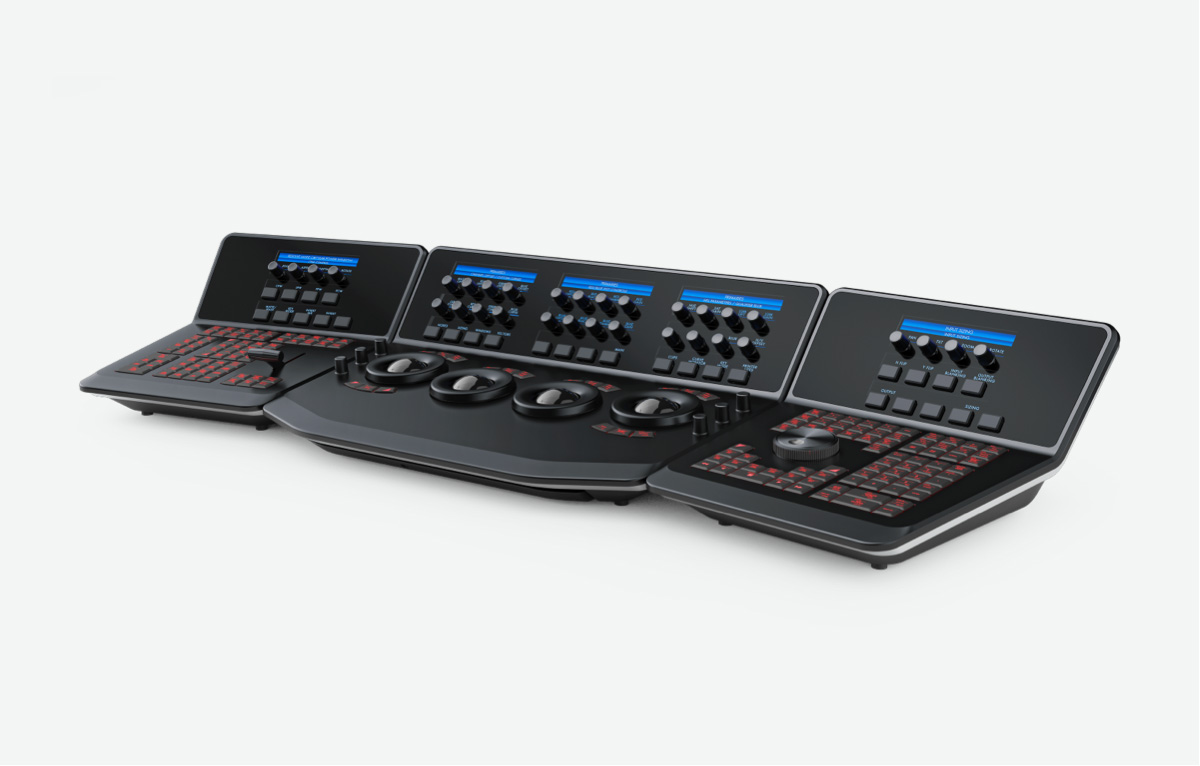
High quality control panel look and finish. |
Yes |
No |
No |
| |
100+ hot keys for immediate and responsive feature selection. |
Yes |
No |
No |
| |
Provides creative grading control with instant user feedback. |
Yes |
No |
No |
| |
Optical precision super smooth Lift, Gamma and Gain trackballs. |
Yes |
No |
No |
| |
Optical precision master rings. |
Yes |
No |
No |
| |
Five high resolution LCD screens with soft menus. |
Yes |
No |
No |
| |
30 soft keys for fast and seamless menu control. |
Yes |
No |
No |
| |
38 soft knobs with display for concurrent multiple trims of grades. |
Yes |
No |
No |
| |
Direct control of ARRI and RED camera decoder settings. |
Yes |
No |
No |
| |
Direct six vector curve and RGB mixer controls. |
Yes |
No |
No |
| |
Direct Noise Reduction controls. |
Yes |
No |
No |
| |
Integrated pull-out Qwerty keyboard. |
Yes |
No |
No |
| |
Full transport controls including Jog and Shuttle knob. |
Yes |
No |
No |
| |
Direct VTR transport controls. |
Yes |
No |
No |
| |
T-Bar for wipe control for still to grade comparison. |
Yes |
No |
No |
| |
Customizable panel display and key brightness settings saved per project. |
Yes |
No |
No |
| |
Customizable panel key color settings saved per project. |
Yes |
No |
No |
| |
Trackball and knob sensitivity settings saved per project. |
Yes |
No |
No |
| |
Fourth trackball for Offest, cursor and window positioning. |
Yes |
No |
No |
| |
Direct key selection of memories. |
Yes |
No |
No |
| |
One key to grab stills. |
Yes |
No |
No |
| |
One key to play stills. |
Yes |
No |
No |
| |
Powerful shift up and shift down qualifier keys. |
Yes |
No |
No |
| |
Separate left and right panel permits position to user preference. |
Yes |
No |
No |
| |
DaVinci Resolve Control Surface connects by simple USB 2 cable. Supports USB 2 extenders. |
Yes |
No |
No |