Blackmagic Design发布DaVinci Resolve 15.2
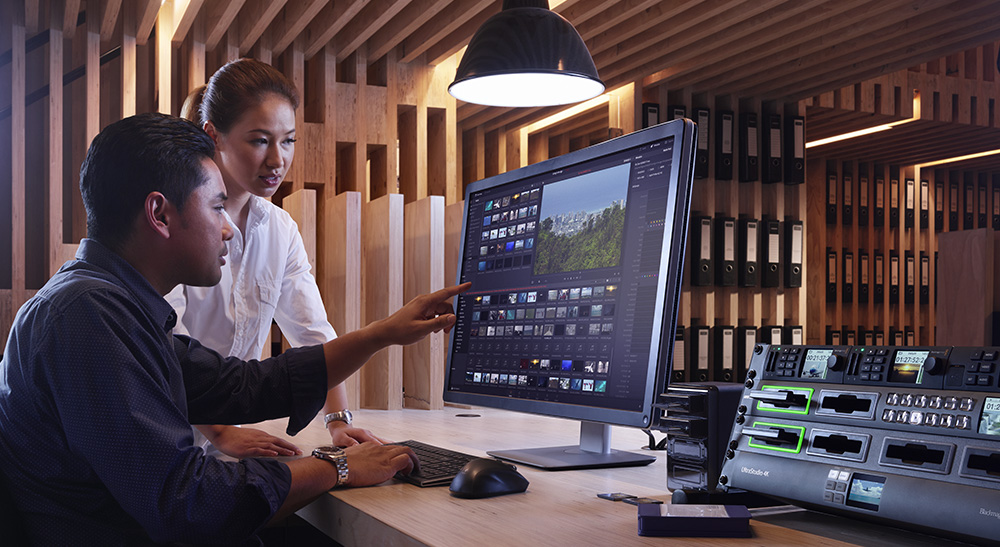

本次重大升级新增逾30项用户所要功能,包括更快捷的剪辑、视觉化键盘自定义设置、最新美化修整工具、音频母版插件以及更多!
InterBEE 2018,日本千叶市 - 2018年11月14日 - Blackmagic Design于今日发布了剪辑、调色、视觉特效和专业音频后期制作软件DaVinci Resolve的重大更新——DaVinci Resolve 15.2。DaVinci Resolve 15.2根据全球专业用户反馈进行了重新设计,包括逾30项最新功能,简化并梳理了常用选项,让剪辑师、调色师和音响工程师可以更快捷地操作。
DaVinci Resolve 15.2版软件现已通过Blackmagic Design公司网站提供免费下载,并将于2018年度InterBEE展会#8216号的Blackmagic Design展位上亮相。观看最新功能介绍短片,请访问Blackmagic Design网址www.blackmagicdesign.com/cn。
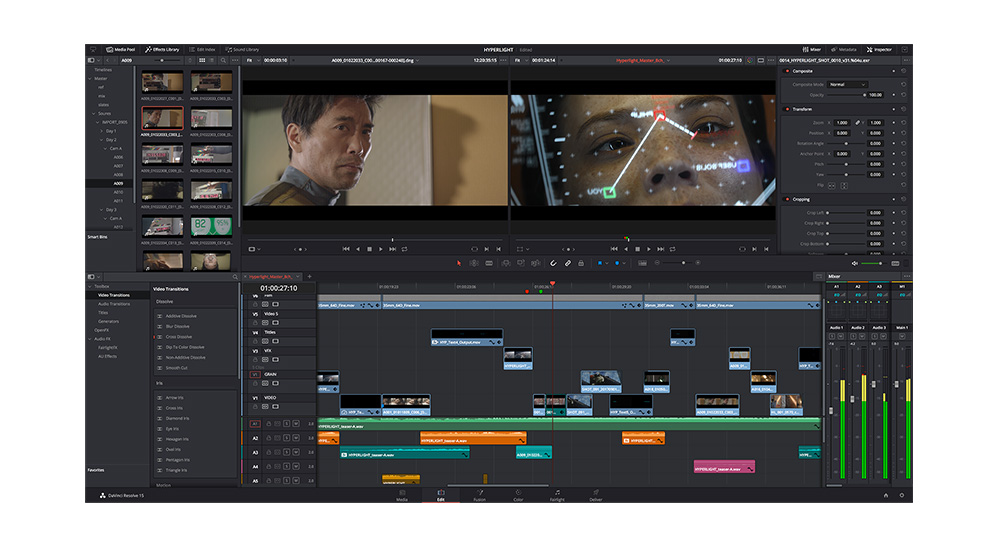
DaVinci Resolve 15.2中的时间线剪辑可以更高的帧率进行,因此剪辑和修剪操作将更为快速、更快响应以及更加流畅。此外,滑动片段时添加了最新动画显示,因此可轻松查看不同类型的剪辑是如何作用时间线的。
视觉化重复帧检测功能可让用户看到被使用超过一次的同个片段。此外,媒体夹中的片段会根据当前正在使用的时间线在相应片段上显示其使用情况。白色竖线突出显示了当前标记片段的部分,红色横线显示了哪些帧已被使用。用户可通过拼合未使用的片段来清理时间线,并且整个软件中的时间码输入操作都得到了简化。
DaVinci Resolve 15.2还添加了Pancake(堆叠式)剪辑功能,也就是在多个时间线上展开片段剪辑,让操作变得更便捷、更快速。时间线或复合片段如今可以加载到源片段检视器中并且以分解状态剪辑到当前时间线上。更重要的是,剪辑师可以点按X键就能立即在源时间线上标记片段并将该片段直接剪辑到当前使用的节目时间线上。
如今,剪辑页面上的检查器、屏幕控制以及元数据检视器自动更新为在播放头下方显示片段的所有可见相关信息。也就是说,用户再也不用手动选择一个片段来修改参数了。
DaVinci Resolve 15.2对键盘自定义设置进行了全面的重新设计。最新的可视化界面可让剪辑师迅速看到哪些键已被使用,并指派快捷键。自带的键盘组合效仿了其他常用剪辑应用程序,使得剪辑师可以更容易地切换到DaVinci Resolve。键盘组合可在不同系统中共享,快捷键也可指派到软件中的不同页面以及用户界面面板上,甚至连弹出菜单中的指令也可以指派快捷键。最新的突出显示功能可让户可轻松看到当前正在使用的界面区块,从而快速明确可以使用的键盘快捷键。
DaVinci Resolve 15.2还包括了最新ResolveFX插件。Blanking Fill黑边填充插件可自动在屏幕的上下或左右两侧添加虚焦画面作为遮幅。这样一来,用户对标准宽屏时间线上使用纵向视频或图片变得更为方便,不用再手动为其创建背景了。最新Beauty磨皮插件能以温和且不失真实感的手法对粗糙表面进行光滑处理。调色师还可以使用最新的ACES转换和色域限制器插件。如今,调色师可以关闭所连接的节点来绕过混合节点输入,并导出带有自定义名称的画廊静帧。
Fairlight页面包括了几十项性能提升和最新的FairlightFX插件,修复了常见问题,还可以更快更轻松地制作最终音频母版。最新Stereo Fix立体声修复插件设有一系列常见通道映射操作的预设,只要点击一下就可以修复片段。如此一来,例如在立体声轨道上编辑两个单声道对话通道时,用户就可以快速完成修整。
最新的多频段压缩器设有实时光谱分析和四个独立不同的可调整频段。制作母版音效时,可以让用户达到理想的整体音量,又不会导致音频失真。Fairlight页面还添加了最新VCA编组功能,可将通道条绑定在一起。这样就可以同时对多个轨道进行统一的增益调整。
自从今年四月NAB展会以来,Blackmagic Design的的工程师们听取了来自全球的专业级用户的反馈和意见并致力于为用户添加其所需的各项功能。从四月至今,DaVinci Resolve添加了逾110新功能。
“DaVinci Resolve的发展势头和成长速度都十分惊人,”Blackmagic Design首席执行官Grant Petty说道,“我们非常高兴推出DaVinci Resolve 15.2,它包括了很多的最新功能,每天都使用它的艺术家们将体验到非常大的不同。这是一次重大更新,用户定将欣喜若狂!”
DaVinci Resolve 15发布以来的新增功能如下:
Edit
- High frame rate timeline refresh with animations.
- Visual keyboard customization.
- Support for custom shortcuts in different parts of the UI and contextual menus.
- Highlight indicators showing active portion of interface.
- Live save and backup support for new, unsaved projects.
- Import and export dialog boxes now remember last used location.
- Undo history available in edit menu.
- Keyword dictionary management tool.
- Duplicate frame detection with visual indicators on clips in the timeline.
- Clean up timeline feature to remove and flatten unused clips.
- Simplified timecode entry.
- Clip usage and marked range indicators in media pool icon view.
- Split dual pane media pool option on edit page.
- Shortcut for editing compound or nested timeline source clips into current timeline.
- Inspector, overlays and metadata view now update based on highest clip under playhead.
- Dynamic zoom automatically turns on when on screen controls are moved.
- Temporary snapping toggle while dragging.
- Maximum number of characters per second setting for subtitles.
- Subframe audio transition editing.
- Blanking fill ResolveFX plug-in automatically fills frame for clips with different aspect ratio.
- Match frame for the selected clip in the timeline (for a stack of two clips that intersect the playhead).
- Create subclass from media pool markers.
- Add flags to clips in media pool.
- Show source timecode overlays for audio and video tracks in the timeline viewer.
- Keyframing for OpenFX dropdown and checkbox based parameters.
- Show clip marker annotations on the timeline viewer.
- Create clip annotations for a selected clip on the timeline from the timeline viewer.
- Display marker annotations and overlays for the selected clip marker under the playhead.
- Delete transitions across clips when one of the clips is deleted.
- Swap clips in the edit timeline using cmd/ctrl+shift and dragging.
- Perform insert and swap edits by holding cmd/ctrl+shift while dragging clips from the media pool or source viewer.
- Custom clip colors for subtitle elements.
- Insert nested and compound clips in decomposed state during edit operations.
- Keyword support added to clip and timeline markers.
- Marker keywords column on the edit index.
- Display multi-cam angle name in the timeline and source viewer.
- Clip level panning in the edit and Fairlight inspectors.
- Export subtitles from timeline track context menus.
- Export the current subtitle track in the timeline from the file menu.
- Constrain motion with shift key while modifying title, transform and dynamic zoom viewer overlays.
Fusion
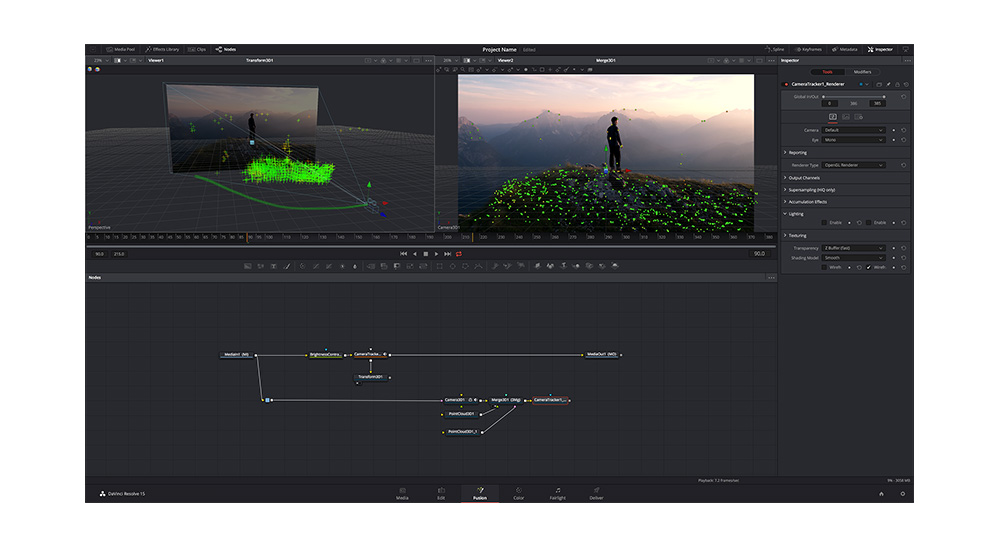
- Create new Fusion compositions independent of the edit timeline.
- Saver nodes and loader nodes.
- ResolveFX plugins on the Fusion page.
- GPU accelerated OpenFX plugin support.
- Temporal OpenFX plugins.
- Frame range sliders automatically scale to render range.
- Console dialog now accessible from all pages.
Color
- ResolveFX ACES transform plug-in.
- ResolveFX gamut limiter plug-in.
- ResolveFX beauty smoothing plug-in.
- Bypass mixer node input by turning off connected nodes.
- Support for exporting gallery stills with custom label names.
- Tool usage badges.
- LUTs can be applied on compound nodes.
- Shared nodes can be converted to a corrector node.
- Change clip color from the thumbnail context menu on the color page.
- Display multi-cam angle name on color page clip information.
- Support for ResolveFX and OpenFX static keyframes in the color page.
- Hard clip option in the tone and gamut mapping sections of color space transform ResolveFX.
- Access and select between multiple inputs for OpenFX nodes.
Fairlight Audio
- FairlightFX multi-band compressor.
- FairlightFX stereo fixer.
- Support for modifying transitions created on edit page.
- Navigate timeline by typing timecode.
- Darker clip colors for modified clips.
- Support for adding FairlightFX to multiple select clips at the same time.
- VCA grouping for ganging channel faders together.
- Audio ducking using side chain compression in track dynamics.
- Search field in the Fairlight page track and marker index.
- Default audio crossfades changed to 0dB.
- Reset command for edited audio samples in a clip.
- Round trip audio clips to third party audio processing applications.
- Cache clips with FairlightFX and AudioFX.
- Bounce clips with FairlightFX and AudioFX to a new layer.
- Paste attributes for audio tracks.
- Remove attributes for audio tracks.
- Solo-safe for audio tracks and buses by cmd/ctrl-alt-clicking solo buttons in the mixer.
- Fairlight FX soft clipper.
- Sub-bus and aux-bus routing in nested timelines.
- Automatically disable source audio clips after bouncing audio effects.
- Show source timecode overlays for audio and video tracks in the timeline viewer.
Deliver
- Added support for exporting alpha when rendering TIFF files.
- Added support for encoding at maximum bit rate for Kakadu JPEG 2000 when rendering DCP and IMF in DaVinci Resolve Studio.
- Added support for Kakadu based lossless JPEG 2000 encoding in DaVinci Resolve Studio.
- Improved performance when rendering H.264 clips on Windows.
- Added support for rendering with Dolby Vision/HDR10+ tone mapping applied.
- Added support for modifying the filename field in the deliver page.
- Added support for delivering supplemental IMF packages with versioning metadata for frame replacement and shot replacement workflows.
- Added support for importing IMF packages and supplemental compositions as timelines.
- Added support for encoding per frame timecode metadata in Grass Valley HQ and HQX clips.
- Added support for Photon validation of IMF packages in the media pool and in the render settings in the deliver page.
Collaboration
- Support for collaboration across different network subnets.
- Support for Fusion in collaborative projects.
- Adding or modify markers without locking a bin.
- Indicator for clips with color grading and Fusion comp updates on edit page.
- Command to refresh single clip or all clips on edit page.
General
- Supports hardware accelerated decode of long GOPonic AVC clips on NVIDIA hardware.
- Supports stereoscopic 3D multi-view EXR files.
- Improved scripting with ability to add and query markers, flags and clip color metadata.
- Support for storing alpha channel when caching to uncompressed 16-bit float - HDR.
- Support for storing alpha channel when caching to uncompressed 10-bit float formats.
- Support for caching compound clips, Fusion clips and nested timelines.
- Support for tetrahedral 3D interpolation in DCTLs.
- Support for ACES 1.1.
- Processing Fusion compositions in linear gamma in color managed and ACES workflows.
- Copy and paste actions for Dolby Vision trim data in the application menu.
- Alt/option + middle click to copy Dolby Vision trim metadata for the current target display.
- Alt/option + shift + middle click to copy Dolby Vision trim metadata for all target displays.
- Clip thumbnail indicator can show clips analyzed for Dolby Vision and HDR10+.
- Support for importing clip markers from a Final Cut Pro 7 XML file.
- Support for preserving bin hierarchy when importing media and metadata from a Final Cut Pro 7 XML file.
- Support for importing marker colors and duration markers on clips when importing media using FCP7 XML files.
- Support for exporting subtitle files in project archives.
- Support for automatic generation of MD5 media hash lists from clone tool operations.
- Display audio channel names in clip attributes.
- Show clip color indicator on media pool thumbnails.
- Change clip color from the application menu on the media, edit and color pages.
- See bin name in the title bar of a floating media pool bin.
- Add information about synced audio name option, audio channel metadata.
供货及价格
所有DaVinci Resolve用户现在起均可到Blackmagic Design官网免费下载DaVinci Resolve和DaVinci Resolve Studio 12.5版软件。
新闻图片
获取DaVinci Resolve 15产品图片以及Blackmagic Design的其他产品图片,请参阅公司网站www.blackmagicdesign.com/cn/media/images。
关于Blackmagic Design
Blackmagic Design致力于为电影、后期制作和电视广播行业提供高品质视频剪辑产品、数字电影摄影机、调色系统、视频转换器、视频监看产品、矩阵、现场制作切换台、硬盘录机、示波器和实时胶片扫描仪。Blackmagic Design的DeckLink采集卡在后期制作领域掀起了一场性价比革命。其获得Emmy™艾美奖的DaVinci调色产品自1984年以来一直占据着影视行业的主导地位。Blackmagic Design引领着包括6G-SDI和12G-SDI产品,以及立体3D和Ultra HD工作流程在内的突破性革新。Blackmagic Design由世界顶尖后期制作剪辑师和工程师创立,公司在美国、英国、日本、新加坡和澳大利亚均设有办事处。获取更多信息请前往www.blackmagicdesign.com/cn


