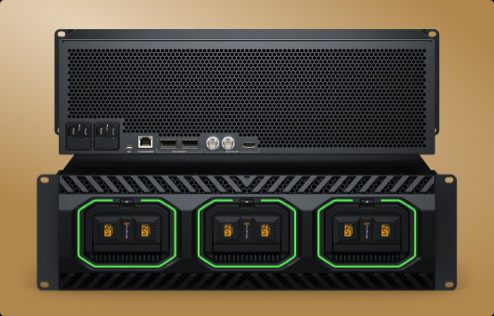
Blackmagic Media Dock

Blackmagic
Media Dock


Get High Performance Network Storage with Removable Modules!

Introducing the world's fastest network storage with removable media modules! The Blackmagic Media Dock models use the same high speed media modules as Blackmagic URSA Cine cameras, so you get high performance storage that can be instantly removed. That's perfect for editing media from URSA Cine cameras directly from the modules without copying files. It's also a perfect solution for recording from the HyperDeck ISO Recorder 100G, as you can instantly unplug and take the media module with you as soon as a live production ends! There are two powerful models, one with four 10G Ethernet connections and another with two separate 100G Ethernet connections. They even sync to Blackmagic Cloud!

Find Reseller
Film and Television

Designed for Film and Television

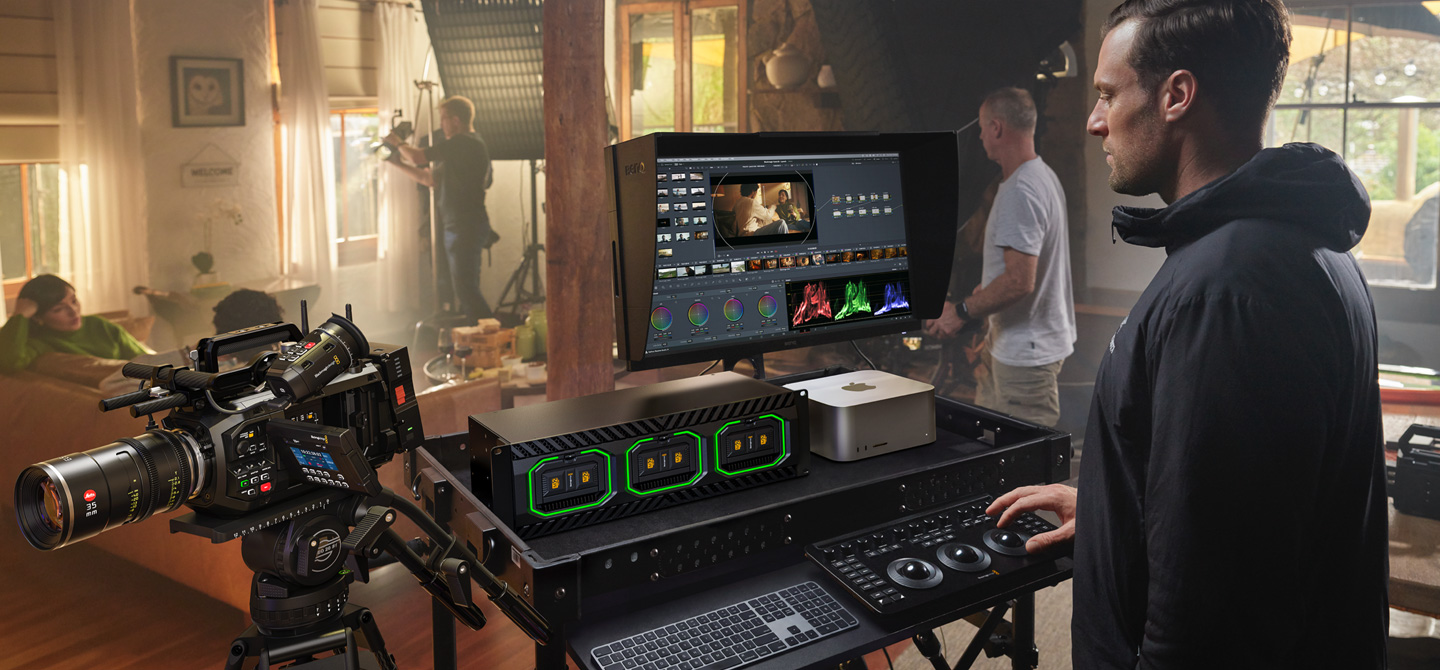
Blackmagic Media Dock is great for both post and live production. It lets Blackmagic Media Modules from URSA Cine be shared on the network for multiple editors and colorists. Install it into a DIT cart for on-set color grading, then move the media module to post production after the shoot. It also constantly syncs to Blackmagic Cloud for a global post production workflow! The modules easily handle high resolution 12K and 17K digital film files! Blackmagic Media Dock Ultra is perfect for live production with HyperDeck ISO Recorder 100G because you can simply unplug the media module when the show ends. Even if you are recording, DaVinci Resolve can still edit the growing files live!

Blackmagic Media Dock

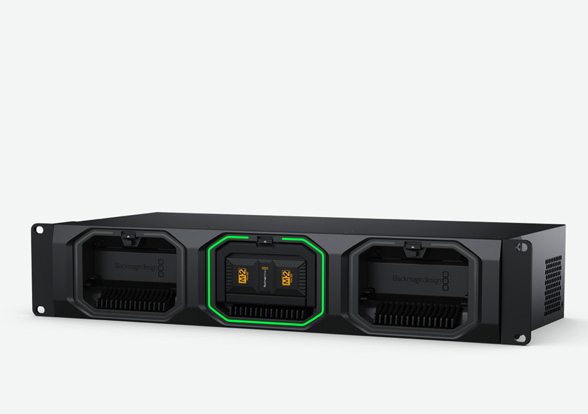
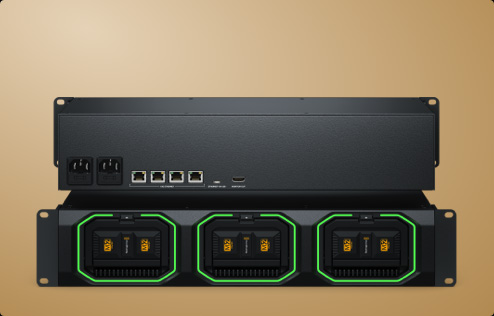
Mount up to 3 Blackmagic Media Modules in a 2RU rack mount design. Includes HDMI monitoring output, illuminated LED rings showing reads and writes, plus a built in 4-port 10G Ethernet switch.

Blackmagic Media Dock Ultra

More powerful model holds 3 Blackmagic Media Modules in a front to back ventilated 3RU design. Includes SDI and HDMI monitoring, illuminated LED rings, and 2 x 100G Ethernet on separate networks.

Professional Rack Mount Design

Professional Rack Mount Design

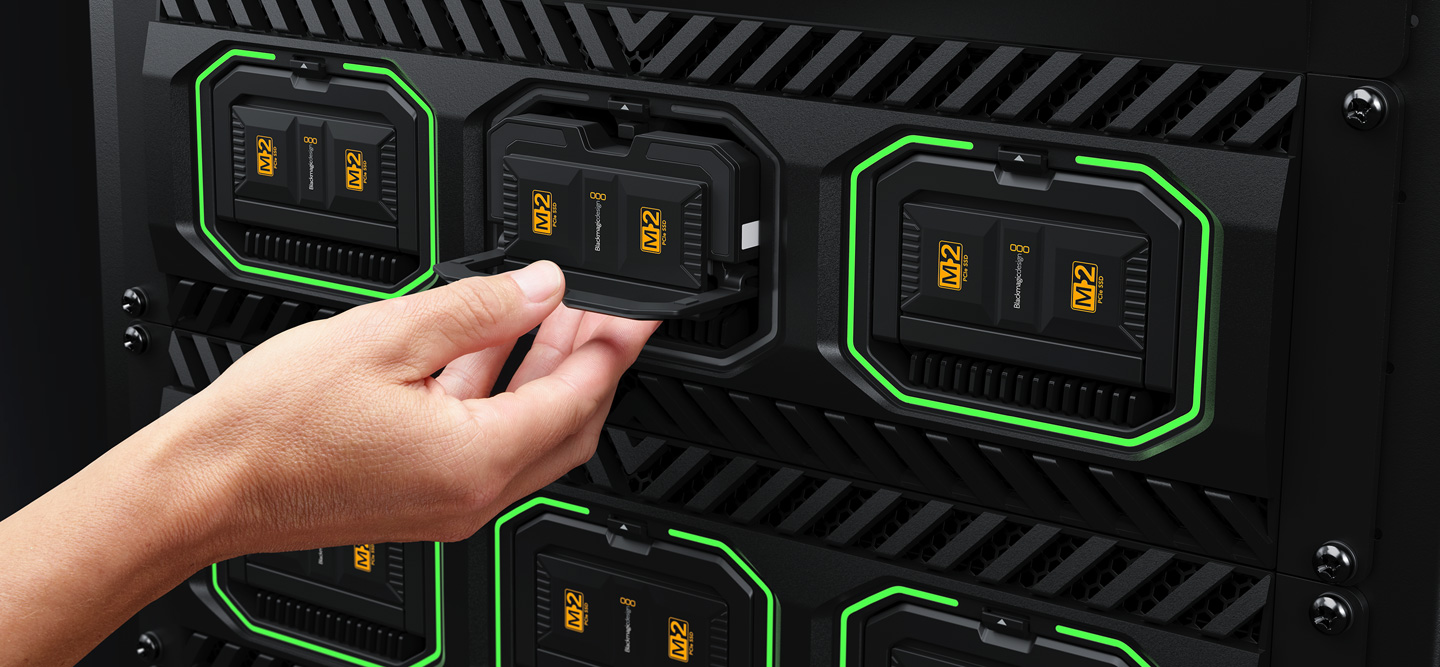
The Blackmagic Media Dock has a rack mount design holding up to 3 Blackmagic Media Modules for sharing on your network. It uses the same modules as URSA Cine cameras! Each module has 4 x M.2 flash memory cards in RAID 0, making them incredibly fast. M.2 cards generate significant heat, so each module has an integrated heat sink to keep them cool, ensuring maximum data speeds. The design includes illuminated LED rings around each slot, showing reads and writes from the media modules. The Blackmagic Media Dock Ultra model is dramatically more powerful with server style front to rear cooling and multiple fans for redundancy and quiet operation. Plus this model also has 2 redundant power supplies!

Blackmagic Media Dock

Blackmagic Media Dock

1. AC Power

An IEC power socket is included for connecting AC power. All international AC voltages are supported so you can use it globally.

2. 10G Ethernet

10G Ethernet allows high speed computers to be connected. It's a built in 4 port 10G Ethernet switch, so all 4 users are on the same network. Or you can expand further by adding a 10G Ethernet switch.

3. Ethernet via USB-C

Media Dock models include an Ethernet via USB-C port. This gives you access to the independent disks for file management from a laptop, leaving the high speed Ethernet ports for networked users.

4. HDMI Monitor Output

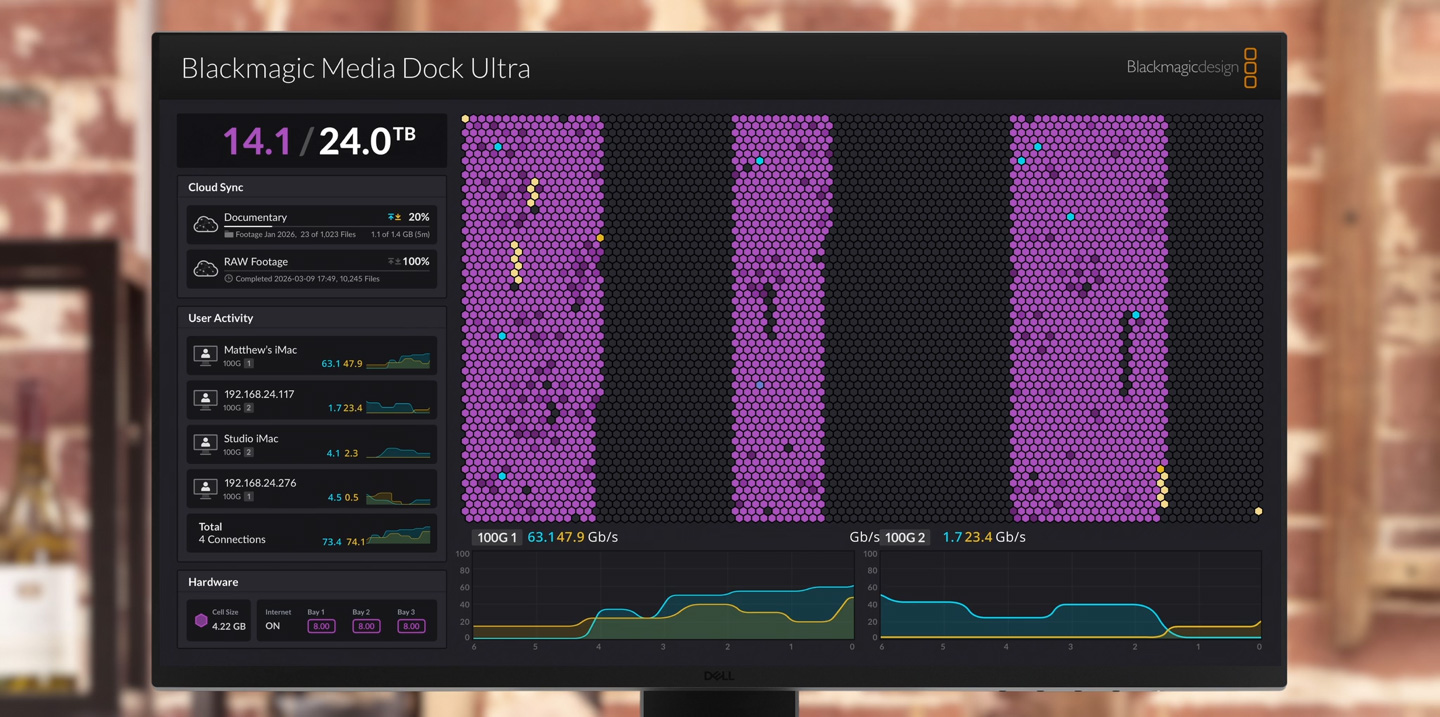
The HDMI monitor output lets you see the status of your Media Dock in real time. Simply plug in a TV or monitor. You can see a storage map, speed graphs, sync, active users and power status!


Blackmagic Media Dock Ultra

Blackmagic Media Dock Ultra

1. Redundant AC Power

Two AC power connectors are included for redundant power, with dual independent internal power supplies. Simply connect them to separate power circuits to keep your storage online at all times.

2. USB-C Updates

The USB-C port lets you run the Blackmagic Cloud Store utility for software updates and status monitoring, and provides an emergency connection when you need to plug in a local computer directly.

3. 1G Management Port

The management Ethernet port lets you dedicate a separate network just for the software utility, keeping management traffic isolated from media data for remote monitoring and software updates.

4. 100G Ethernet

Includes two separate, independent 100G Ethernet ports for incredible speed. Connect one to a HyperDeck ISO Recorder and the other to an Ethernet switch for multiple edit or replay workstations.

5. SDI and HDMI Monitor Output

The SDI and HDMI monitor outputs let you monitor Media Dock status in real time. Simply plug in a TV or monitor to see the storage map, speed graphs, sync status, active users and power status!

Live Sync to Dropbox

Get Blackmagic Cloud for Global Media Sync!

Now creative teams can share a single local cache of media uploaded to the Blackmagic Cloud for a true global workflow! This makes working much faster because files are instantly available to everyone without needing to be downloaded from the internet. Blackmagic Media Dock will constantly work to stay in perfect sync. You save space on your individual computers because the Blackmagic Media Dock is a central store of all media that's accessible to everyone on your local network. You can even sync multiple Blackmagic Media Docks to different geographic locations so everyone can collaborate globally without latency because everyone is using a local copy of the media files. That makes it a perfect home or offsite solution.


Add Cloud Service

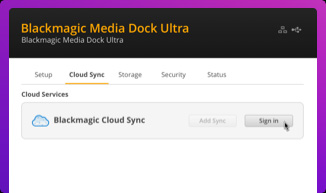
1. Add Cloud Service

Make sure your Blackmagic Media Dock is connected to the internet. Enter in your Blackmagic Cloud ID account details, so the Blackmagic Media Dock can gain access to start syncing!

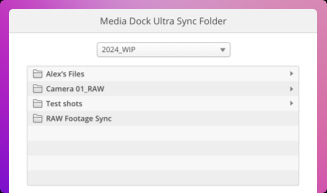
Set Sync Folders

2. Set Sync Folders

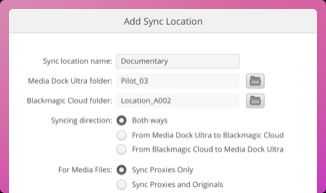
Next you need to set the sync folders. That tells the Blackmagic Media Dock where to sync its files to the Blackmagic Cloud. You can have multiple sync folders for different jobs!

Set Sync Direction

3. Set Sync Direction

Now set the sync direction. One direction is good when you have local files you want to share, but not enough room for everyone’s files. Both directions means everyone gets the same set of files.

Film and Television

Distribute Files Globally with Blackmagic Cloud

With support for Blackmagic Cloud, you can use Blackmagic Media Docks to share media files globally. That’s important when working with large datasets or massive digital film and video files. Editing requires access to media dozens of times a second, so internet connections can be too slow to handle it. Plus the internet has too much latency to access large files remotely. However, using the internet to sync media to local storage totally eliminates delays and latency. That's because everyone has a local copy of the files on their network. With Blackmagic Media Dock, you get constant media file sync, even if your computer is turned off!

Film and Television

Built DIT Carts for Film Production and On-Set Grading

Build high end digital film DIT carts and post production workflows with Blackmagic Media Dock! It allows multiple DaVinci Resolve workstations to access recorded files instantly on set, without file copying. This means you can use DaVinci Resolve for on-set grading. That's a fantastic workflow when using URSA Cine cameras, which record to Blackmagic Media Modules. With space for 3 media modules, you can quickly backup media during a shoot or color grade direct from the modules. Plus with 4 x 10G Ethernet ports on the base model, multiple DaVinci Resolve workstations can connect at the same time. You can also sync to Blackmagic Cloud to collaborate with off-site colorists and editors!

Replay

Real Time Monitoring

The most exciting feature is the HDMI and SDI monitoring outputs! Simply connect a monitor to get a live status overview of the Blackmagic Media Dock! The storage map shows a graphic representation of the modules total capacity and also shows reads and writes for the connected users. It’s mesmerizing to watch! There are also graphs that show you the data transfers on the Ethernet connections. The main space indicator shows you the capacity of the media modules and how much is currently being used. You can also add a custom name to the Blackmagic Media Dock! The status for each Blackmagic Cloud sync is also shown. It's even possible to view the status of the power supplies!

Real Time Monitoring Diagram

1. Usage Indicator

On the top left is the storage capacity indicator. The number on the left is the space used and the number on the right is the total of all the media modules loaded into the Blackmagic Media Dock.

2. Customizable Name

You can give a custom name to the Blackmagic Media Dock so you can identify it on the monitor display and the utility software. To change the name, just use the Blackmagic Media Dock utility!

3. Storage Map

The storage map display shows a view of the media modules. The memory is divided into segments with reads in cyan and writes in orange. The display will automatically adapt when modules are connected.

4. Cloud Sync Status

The cloud sync status shows each sync folder and its transfers to and from Blackmagic Cloud. When new files appear in any sync folder, you can see the transfer status as they sync!

Real Time Monitoring Diagram

4. Cloud Sync Status

The cloud sync status shows each sync folder and its transfers to and from Blackmagic Cloud. When new files appear in any sync folder, you can see the transfer status as they sync!

5. User Connections

You can see each of the connected users and the data transfers for each. However this list will move down if you have more cloud sync folders as the sync folder status is more important!

6. Media Dock Status

You also get hardware status on the lower left side of the display. This includes the cell size for the storage map plus internet connection status and each disk that is currently connected.

7. Speed Graphs

The lower part of the display has the data transfer speed graph. It shows recent read and write speeds for the Ethernet connections. It’s great for diagnosing the Ethernet speed on each port!

Film and Television

High Performance 10G Ethernet

The base model Blackmagic Media Dock has fast 10G Ethernet ports, which are found on faster workstation computers. You get 4 independent 10G Ethernet ports that can all sustain maximum 10G data speeds even when all 4 ports are connected to separate computers and used at the same time. With 10G Ethernet, you get 10 times the speed of regular Ethernet. Plus most high performance computers now have 10G Ethernet or can be upgraded. The media modules and internal data processing are so fast, each 10G Ethernet port will run to its maximum capacity, even when connected to an Ethernet switch with dozens of users accessing files on the media modules all at the same time.

Get Unbelievably Fast 100G Ethernet!

Get Unbelievably Fast 100G Ethernet!

The Blackmagic Media Dock Ultra model features 100G Ethernet for incredibly high data transfer speeds. The base model has 4 x 10G Ethernet ports, making it easy to connect computers directly. However, the Blackmagic Media Dock Ultra is dramatically faster, with two separate 100G Ethernet ports operating as two separate networks. You can record via one 100G port from HyperDeck ISO Recorder 100G while the other port is completely free to serve dozens of edit workstations! Each 100G Ethernet port will never interfere with the other! Plus you can break out each 100G Ethernet port by adding a Blackmagic Ethernet Switch 360P to get 16 separate 10G Ethernet connections.

Film and Television

No Subscription or Maintenance Costs

One of the big advantages of the Blackmagic Media Dock is its private storage that you fully control. There are no subscriptions to sign up for. There are no monthly license fees. There is no tracking of your usage or data. You don't need to use a paid, cloud based web service to maintain the storage settings because Blackmagic Media Dock includes a free software utility that runs on Mac and Windows. That means you can run a private network, totally disconnected from the internet. This is critical for many security standards where computer networks cannot be connected to the external internet. With Blackmagic Media Dock, you get performance, portability, and total freedom.

Free Software for Mac and Windows

Free Software for Mac and Windows

When you need to change settings, you can use the Blackmagic Cloud Store utility that's available on Mac and Windows. By default, the Blackmagic Media Dock is set to DHCP, so you can connect it to your network and start transferring files. You don't even need an IT tech to get started! However, the Blackmagic Cloud Store Utility also opens up a whole range of settings you can customize, including the ability to add custom logins and passwords for each user, plus you can enable file download via FTP or web browsers. You can also update network settings and add security certificates. The utility is where you set up sync to the Blackmagic Cloud website.

Designed for Live Production with HyperDeck ISO Recorder

Designed for Live Production with HyperDeck ISO Recorder

With 100G Ethernet ports, the Blackmagic Media Dock Ultra model is perfectly designed to work with HyperDeck ISO Recorder 100G for live production. That's a powerful combination as HyperDeck ISO Recorder 100G can record 8 cameras all at the same time! Files are recorded in broadcast quality ProRes for very high quality. Once you have recorded separate ISO cameras, you can edit new programming, or get live action replay with DaVinci Resolve! Even as the files are recording, DaVinci Resolve can still edit the media! The Blackmagic Media Dock Ultra is designed for this use as one 100G port connects to the HyperDeck, while the other can connect to a network switch and editing workstations.

Add Connections with the Blackmagic Ethernet Switch

Add Connections with the Blackmagic Ethernet Switch

The Blackmagic Ethernet Switch 360P is the first Ethernet switch designed for the film and television industry! It has extremely high performance plus low latency. All the Ethernet connections are on the rear, which means the cables are neater, hidden from users and more secure. You get 16 fast 10G Ethernet ports and 2 high speed 100G Ethernet QSFP sockets for copper cables or optical fiber modules. Plus there’s a router panel built into the front so it can also be used to build small portable 2110 IP systems using a familiar video routing user interface. Users won't even know they're routing SMPTE-2110! It's a simple plug and play solution with everything needed for television work!

Get Powerful Live Action Replay in DaVinci Resolve!

Get Powerful Live Action Replay in DaVinci Resolve!

DaVinci Resolve has powerful live action replay features! Adding a Blackmagic Media Dock Ultra lets you combine HyperDeck recorders, DaVinci workstations and remote cameras for an amazing live action replay system! Then the new multi source viewer allows you to browse media visually, as clips with matching timecode are displayed in a multi-view. That's perfect when shots are arriving in real time from remote cameras. New "on air" controls use a key channel to enable a downstream keyer in a switcher, so a single button can automate the play out to air. You can even add an auto stinger! Blackmagic Media Dock Ultra has been designed to perfectly support DaVinci Resolve for live sports and replay!

Next Page - Gallery

Next Page

Gallery

Gallery Arrow

Tech Specs Arrow

Blackmagic URSA Cine

New
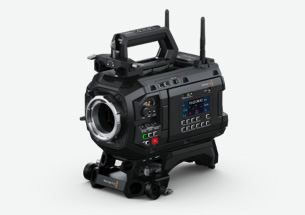
Blackmagic URSA Cine 12K LF 100G Body

Blackmagic URSA Cine 12K LF 100G Body

Body only model of URSA Cine 12K but with 100G Ethernet for SMPTE-2110 live digital film up to 440fps. Large format RGBW 36x24mm sensor, 16 stops dynamic range, optional PL, LPL, EF and B4 mounts.

R230,050

Find Reseller
New
Blackmagic URSA Cine 12K LF 100G

Blackmagic URSA Cine 12K LF 100G

Get all the features of URSA Cine 12K with 100G Ethernet for SMPTE-2110 live digital film up to 440fps. Large format RGBW 36x24mm sensor, 16 stops dynamic range, optional PL, LPL, EF and B4 mounts.

R316,200

Find Reseller
New
Blackmagic URSA Cine 12K LF 100G + EVF

Blackmagic URSA Cine 12K LF 100G + EVF

All the features of URSA Cine 12K with 100G Ethernet for SMPTE-2110 live digital film up to 440fps. Large RGBW 36x24mm sensor, 16 stops dynamic range, optional PL, LPL, EF and B4 mounts. Includes EVF.

R332,850

Find Reseller
Blackmagic URSA Cine 12K LF Body

Blackmagic URSA Cine 12K LF Body

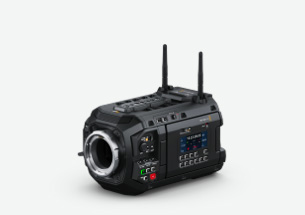
Body only model when you have existing cinema accessories. Excludes top handle, baseplate, power supply, battery plate and PL lens mount. Includes CFexpress media module and EF lens mount.

R178,900

Find Reseller
Blackmagic URSA Cine 12K LF

Blackmagic URSA Cine 12K LF

Revolutionary digital film camera with large format RGBW 36x24mm sensor up to 12288 x 8040 resolution, 16 stops dynamic range, network storage with 10G Ethernet, WiFi and Blackmagic Cloud global sync!

R270,700

Find Reseller
Blackmagic URSA Cine 12K LF + EVF

Blackmagic URSA Cine 12K LF + EVF

Revolutionary high end digital film camera with new large format RGBW 36 x 24mm sensor, incredible dynamic range, generation 5 color science, interchangeable PL and EF lens mounts and URSA Cine EVF!

R300,600

Find Reseller
Blackmagic URSA Cine 17K 65 Body

Blackmagic URSA Cine 17K 65 Body

Body only model when you have existing cinema accessories. Excludes top handle, baseplate, power supply, battery plate and LPL lens mount. Includes 8TB media module and PL lens mount.

R434,600

Find Reseller
Blackmagic URSA Cine 17K 65

Blackmagic URSA Cine 17K 65

Extremely large format digital film camera with 65mm RGBW 51x24mm sensor up to 17520 x 8040 resolution and 16 stops. Shoot 17K for giant IMAX style screens and center crop for cinema and television deliverables.

R588,050

Find Reseller
Blackmagic URSA Cine 17K 65 + EVF

Blackmagic URSA Cine 17K 65 + EVF

Extremely large format digital film camera with a 17520 x 8040 65mm RGBW sensor, 16 stops dynamic range, built in cloud storage module with 8TB of memory, interchangeable lens mounts and URSA Cine EVF!

R626,400

Find Reseller
New
Blackmagic URSA Cine Immersive

Blackmagic URSA Cine Immersive

World’s first immersive cinema camera with custom lens system and dual 8K sensors for stereoscopic 3D immersive image capture designed specifically to capture Apple Immersive Video for Apple Vision Pro.

R639,200

Buy Now
New
Blackmagic URSA Cine Immersive 100G

Blackmagic URSA Cine Immersive 100G

The world's first camera for live immersive production has faster 100G Ethernet for SMPTE-2110 live video output. Includes dual 8Kx8K RGBW sensors running at 90fps and 16 stops of dynamic range.

R677,550

Find Reseller
New
Blackmagic URSA Cine Studio Viewfinder

Blackmagic URSA Cine Studio Viewfinder

Transform URSA Cine into a live production camera with digital film quality! Get a bright 7″ touchscreen, sunshade, DisplayPort, adjustable mount and knobs for brightness, contrast and focus peaking.

R38,250

Find Reseller
New
Blackmagic URSA Live Encoder

Blackmagic URSA Live Encoder

Processing module allows Blackmagic URSA Cine Immersive 100G model to be used for live production. Encodes live video into ProRes for output as SMPTE-2110 IP video on the 100G Ethernet output port.

R38,250

Find Reseller
Blackmagic URSA Cine EVF

Blackmagic URSA Cine EVF

High quality viewfinder with full HD OLED display, precision glass optics, adjustable diopter and function buttons. Quick set up with versatile mounting and single USB-C cable for power and video.

R43,350

Find Reseller
Blackmagic Media Dock

Blackmagic Media Dock

Accelerate your post production workflow by mounting, network sharing and uploading to Blackmagic Cloud media from up to 3 Blackmagic Media Modules.

R47,450

Find Reseller
New
Blackmagic Media Dock Ultra

Blackmagic Media Dock Ultra

Even higher performance dock for up to 3 Blackmagic Media Modules. Includes 2 incredibly fast 100G Ethernet ports plus SDI and HDMI status monitoring. Blackmagic Cloud allows global media sync.

R71,250
Find Reseller
Blackmagic Cloud

Blackmagic Cloud

Share projects with editors, colorists, VFX artists and audio engineers anywhere in the world! Blackmagic Cloud lets you globally sync media into DaVinci Resolve bins, even as the camera is recording!


Learn More
DaVinci Resolve

DaVinci Resolve 21

Hollywood’s most popular solution for editing, visual effects, motion graphics, color correction and audio post production, for Mac, Windows and Linux. Now supports Blackmagic Cloud for collaboration!

Free

Download Now
DaVinci Resolve Studio

DaVinci Resolve Studio 21

The most powerful DaVinci Resolve adds DaVinci Neural Engine for automatic AI region tracking, stereoscopic tools, more Resolve FX filters, more Fairlight FX audio plugins and advanced HDR grading.

R7,050

Buy Online Now R7,050
Blackmagic Media Module CF

Blackmagic Media Module CF

Blackmagic Media Module CF lets you record 4K, 8K and 9K to CFexpress cards in URSA Cine cameras. Includes dual CFexpress Type B media slots.

R7,550

Find Reseller
Blackmagic Media Module 8TB

Blackmagic Media Module 8TB

Record and transfer high resolution 12-bit Blackmagic RAW files with this high performance media for use with Blackmagic URSA Cine and Blackmagic Media Dock.

R67,650

Find Reseller
Blackmagic Media Module 16TB

Blackmagic Media Module 16TB

Record and transfer high resolution 12-bit Blackmagic RAW files with this high performance media for use with Blackmagic URSA Cine and Blackmagic Media Dock.

R123,050

Find Reseller
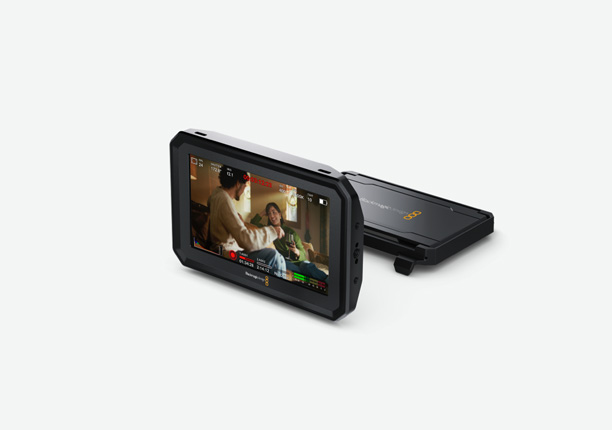
Blackmagic PYXIS Monitor

Blackmagic PYXIS Monitor

Adjustable high brightness touchscreen monitor designed for PYXIS and URSA Cine cameras. Connects via USB so it extends the camera functions with live video, HUD settings and menus. Includes sunshade.

R7,550

Find Reseller
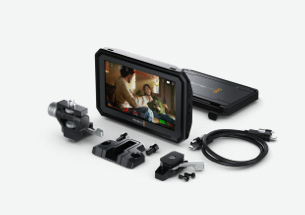
Blackmagic PYXIS Monitor Kit

Blackmagic PYXIS Monitor Kit

Get the PYXIS Monitor with mounts! Includes PYXIS high brightness touchscreen monitor with sunshade, custom USB-C cable with locking bolts, PYXIS Monitor Mount and the PYXIS EVF Mount.

R11,400

Find Reseller
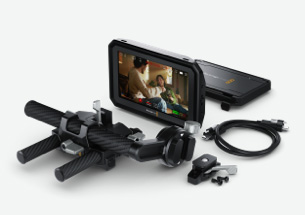
Blackmagic PYXIS Monitor EVF Kit

Blackmagic PYXIS Monitor EVF Kit

Full PYXIS Monitor kit plus URSA Cine EVF mounting hardware. Get PYXIS Monitor, sunshade, 2 USB-C cables, PYXIS Monitor Mount, PYXIS EVF Mount and EVF mount with carbon fiber rods.

R16,500

Find Reseller
Blackmagic URSA Cine Mount EF

Blackmagic URSA Cine Mount EF

Interchangeable locking EF mount that lets you use EF compatible photo and cine lenses with your URSA Cine camera.

R5,950

Find Reseller
Blackmagic URSA Cine Mount LPL

Blackmagic URSA Cine Mount LPL

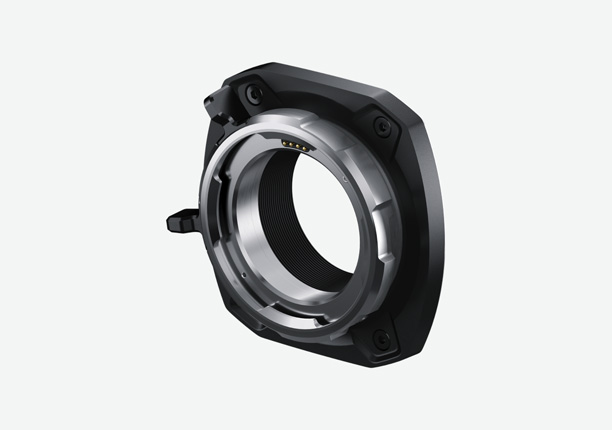
Interchangeable LPL mount that lets you use high end cinema lenses with you URSA Cine camera. Includes contact pins to read and record lens metadata.

R9,900

Find Reseller
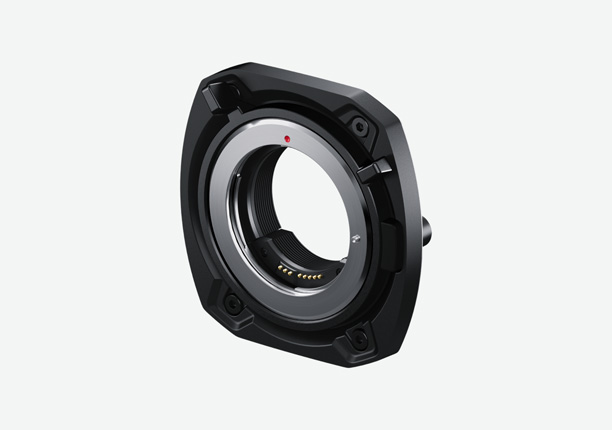
Blackmagic URSA Cine Mount PL

Blackmagic URSA Cine Mount PL

Interchangeable PL mount that lets you use high quality professional cinema lenses with your camera. Includes contact pins to read and record lens metadata.

R9,400

Find Reseller
New
Blackmagic URSA Cine Mount B4

Blackmagic URSA Cine Mount B4

Lens mount for Blackmagic URSA Cine 12K cameras allows incredible quality B4 broadcast lenses to be used for live production. Features optics specifically designed to match the URSA Cine RGBW sensor.

R11,800

Find Reseller
New
Blackmagic URSA Cine B4 Adapter Cable

Blackmagic URSA Cine B4 Adapter Cable

Lens control cable that converts the 7 pin EXT control connector on the front of Blackmagic URSA Cine to the 12 pin Hirose lens control connection used on professional broadcast B4 lenses.

R2,450

Find Reseller
Blackmagic URSA Cine Battery Plate B Mount

Blackmagic URSA Cine Battery Plate B Mount

B Mount plate for attaching 24V batteries from manufacturers such as Bebob, IDX, Core, Blueshape and more to URSA Cine with additional 2 pin Lemo power ouput.

R2,550

Find Reseller
Blackmagic URSA Cine Battery Plate Gold

Blackmagic URSA Cine Battery Plate Gold

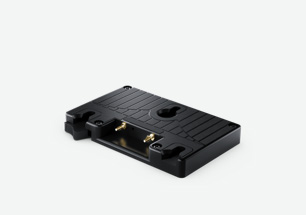
Gold Mount plate for attaching 3 stud batteries from manufacturers such as Anton Bauer, Core, IDX and more to URSA Cine with additional 2 pin Lemo power output.

R2,550

Find Reseller
Blackmagic URSA Cine Battery Plate VLock

Blackmagic URSA Cine Battery Plate VLock

VLock plate for attaching VLock batteries from manufacturers such as IDX, Core, Blueshape, SWIT and more to URSA Cine with additional 2 pin Lemo power output.

R2,550

Find Reseller
Blackmagic URSA Cine Handle

Blackmagic URSA Cine Handle

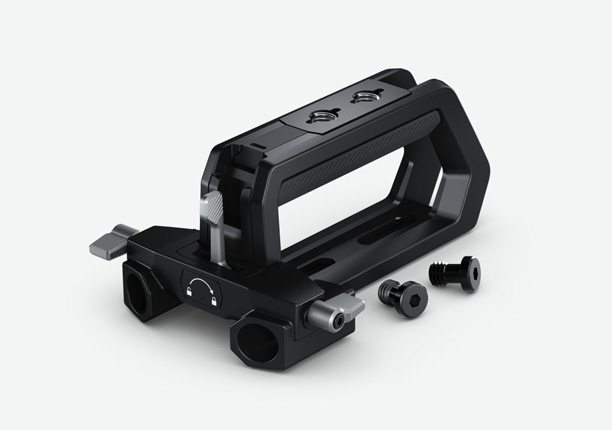
Rugged top mount handle that lets you carry your URSA Cine safely and attach URSA Cine EVF. Standard 3/8”-16 mounting points let you add accessories to your setup.

R5,050

Find Reseller
Blackmagic URSA Cine Grips

Blackmagic URSA Cine Grips

Adjustable hand grips for easy handheld shooting that attach to the baseplate rosettes. Features adjustable extension arms and rotatable grips with a start/stop recording button built in.

R17,750

Find Reseller
New
Blackmagic URSA Cine EVF Extension

Blackmagic URSA Cine EVF Extension

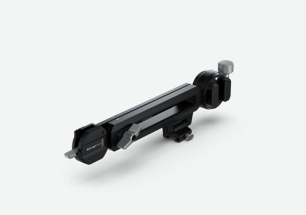
Extension arm that lets you extend the position of the Blackmagic URSA Cine EVF eyepiece and connect to eyepiece levellers for easier use when seated on a dolly or when using a geared head.

R4,500

Find Reseller
New
Blackmagic URSA Cine Rosette

Blackmagic URSA Cine Rosette

Add rosette mounting points to Blackmagic URSA Cine. This bracket attaches to Blackmagic URSA Cine Baseplate 15 or to any lightweight 15mm rods for adding handgrips to Blackmagic URSA Cine.

R4,050

Find Reseller
Blackmagic URSA Cine Baseplate 15

Blackmagic URSA Cine Baseplate 15

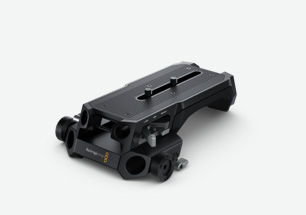
Lightweight baseplate for quick tripod dovetail mounting and adjustable balancing with built in shoulder pad for handheld shooting. Includes 15mm rod holes for attaching accessories.

R12,100

Find Reseller
Blackmagic URSA Cine Baseplate 19

Blackmagic URSA Cine Baseplate 19

Studio baseplate for quick tripod dovetail mounting and balancing with built in shoulder pad for handheld shooting. Includes rosettes on each side and 15mm and 19mm rod holes for attaching accessories.

R15,100

Find Reseller
New
Blackmagic URSA Cine Mount Shims

Blackmagic URSA Cine Mount Shims

A set of additional shims of various thicknesses that can be attached to lens mounts for making fine adjustments to Blackmagic URSA Cine’s flange focal distance.

R1,500

Find Reseller
New
Blackmagic URSA Cine 24V 250W

Blackmagic URSA Cine 24V 250W

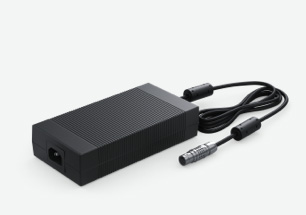
Power supply with 8 pin locking connector for the 24V DC power connector on Blackmagic URSA Cine’s rear panel. Requires IEC C13 cable.

R4,600

Find Reseller
ATEM Streaming Bridge

ATEM Streaming Bridge

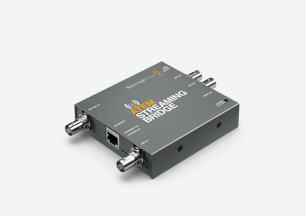
Live streaming decoder lets you receive an SRT or RTMP H.264 stream from ATEM or Blackmagic cameras and convert it to SDI and HDMI. Stream video to your local network or globally via the internet!

R6,200

Find Reseller

URSA Cine Accessories

Camera URSA Cine - WiFi Antennas

High speed antennas for dual band WiFi for syncing media to Blackmagic Cloud or streaming.

R500

Camera URSA Cine - Sunshade

Folding 5″ sunshade for use on the Blackmagic URSA Cine assist station touchscreen LCD.

R1,000

Camera URSA Cine - Rubber Caps

Protective rubber caps for covering connection ports on the Blackmagic URSA Cine body.

R250
Camera URSA Cine EVF - Cable USB Set

Set of 3 locking USB cables of various lengths and connector angles for Blackmagic URSA Cine EVF.

R1,550

Camera URSA Cine EVF - Rubber Eyecup

Detachable rubber eyecup for Blackmagic URSA Cine EVF. Can be rotated to fit left or right eye.

R500
Camera URSA Cine EVF - Chamois

Soft fabric chamois eyepiece for use with Blackmagic URSA Cine EVF.

R800