ATEM 4 M/E Constellation IP

INTRODUCING

ATEM Constellation IP

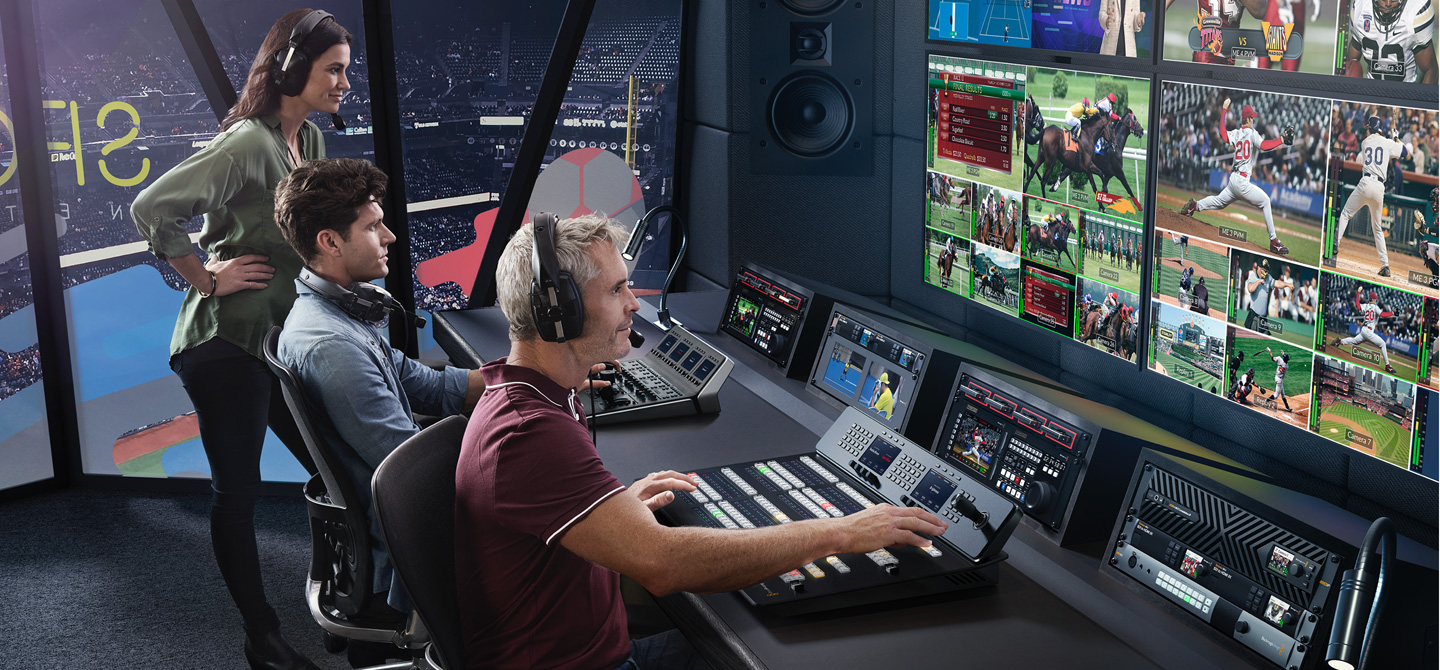
ATEM Constellation IP is a new family of live production switchers with familiar ATEM Constellation features and a more powerful design that's fully SMPTE-2110 native! This means you have the option of adding any mix of traditional 12G-SDI or modern SMPTE-2110 IP video. Plus all IP video connections are fully redundant and SMPTE-2022-7 compliant. ATEM Constellation IP is designed for the chaos of live production, as it will convert non-standard video sources and fix PTP clock problems because each input has a dedicated standards converter and re-synchronizer! You also get powerful ATEM Constellation features like DVEs, advanced chroma keyers, media players, multi-views and SuperSource!

Play
Replay

New Advanced Design for Professional Broadcast

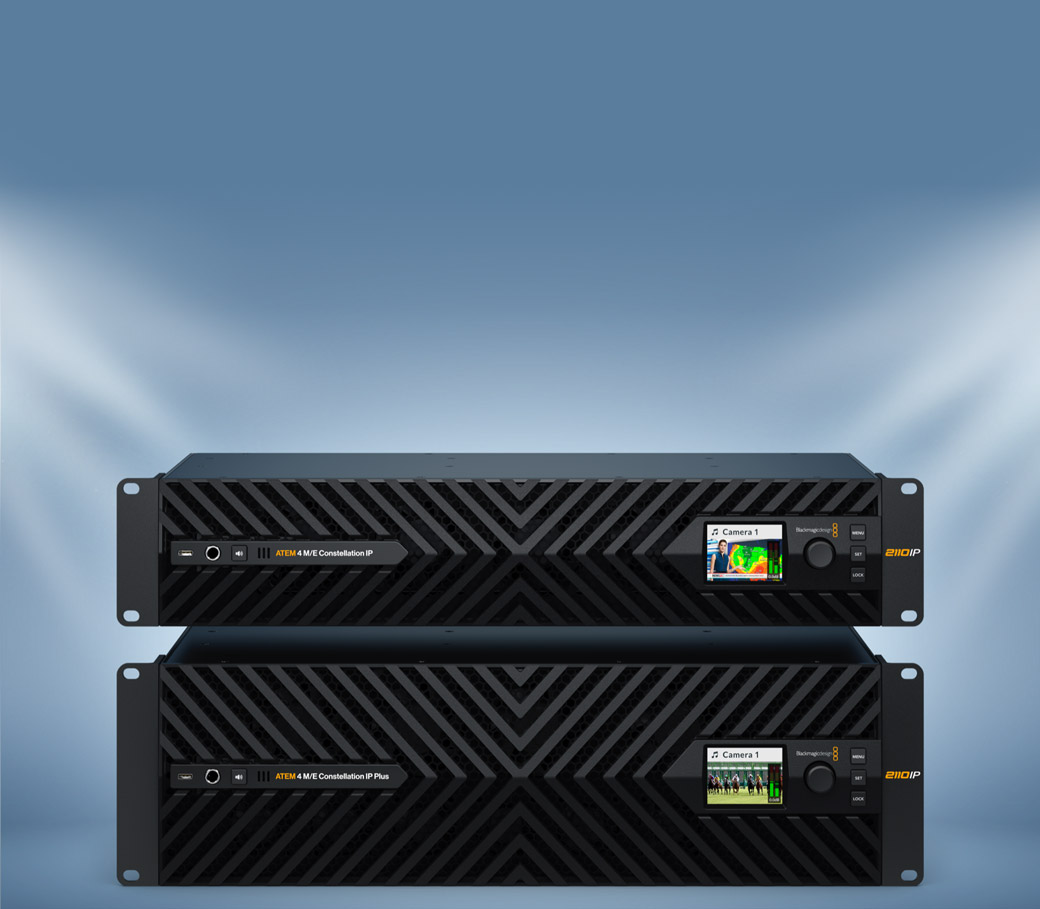
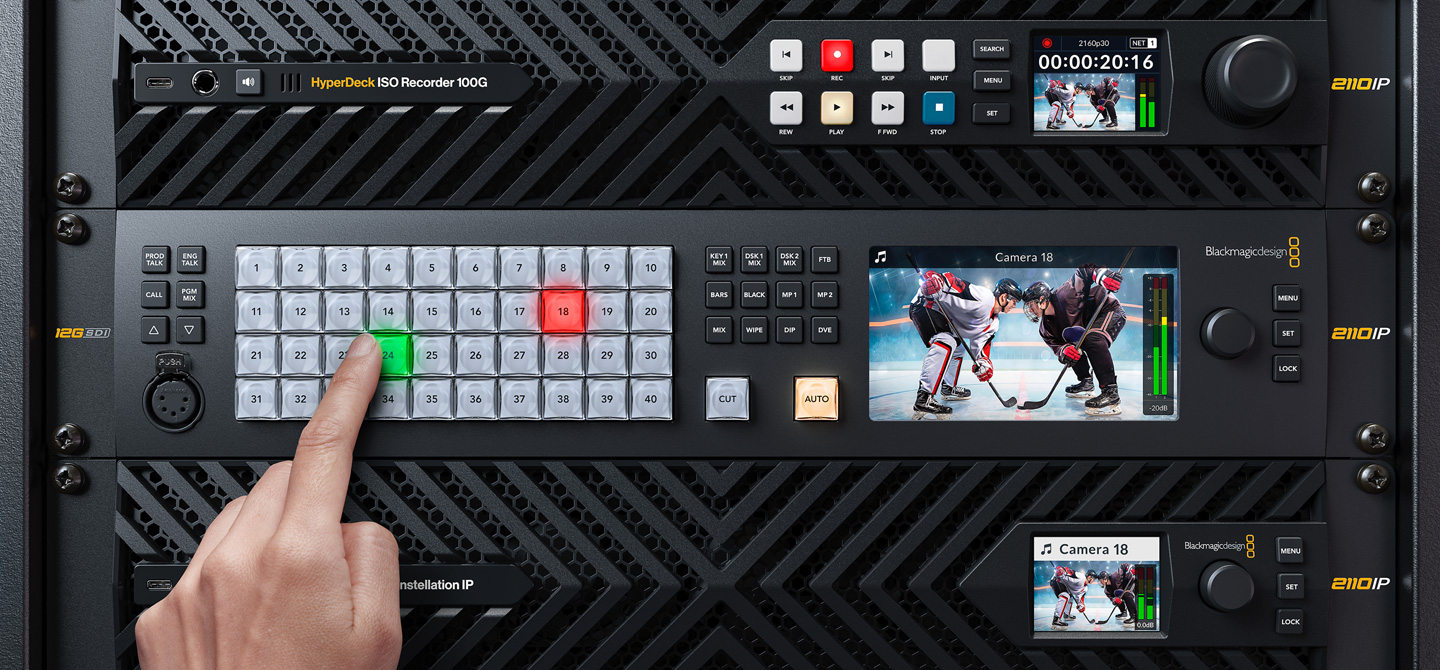
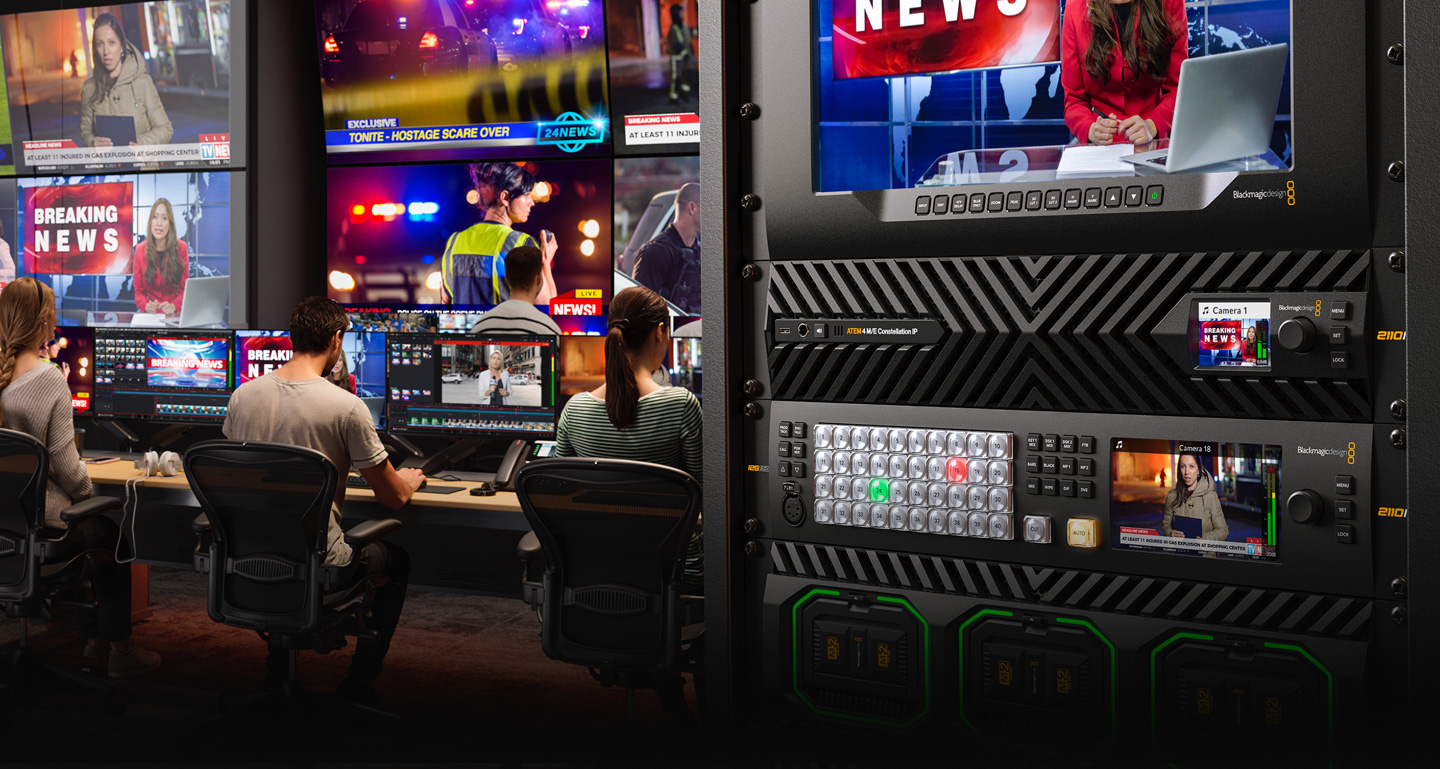
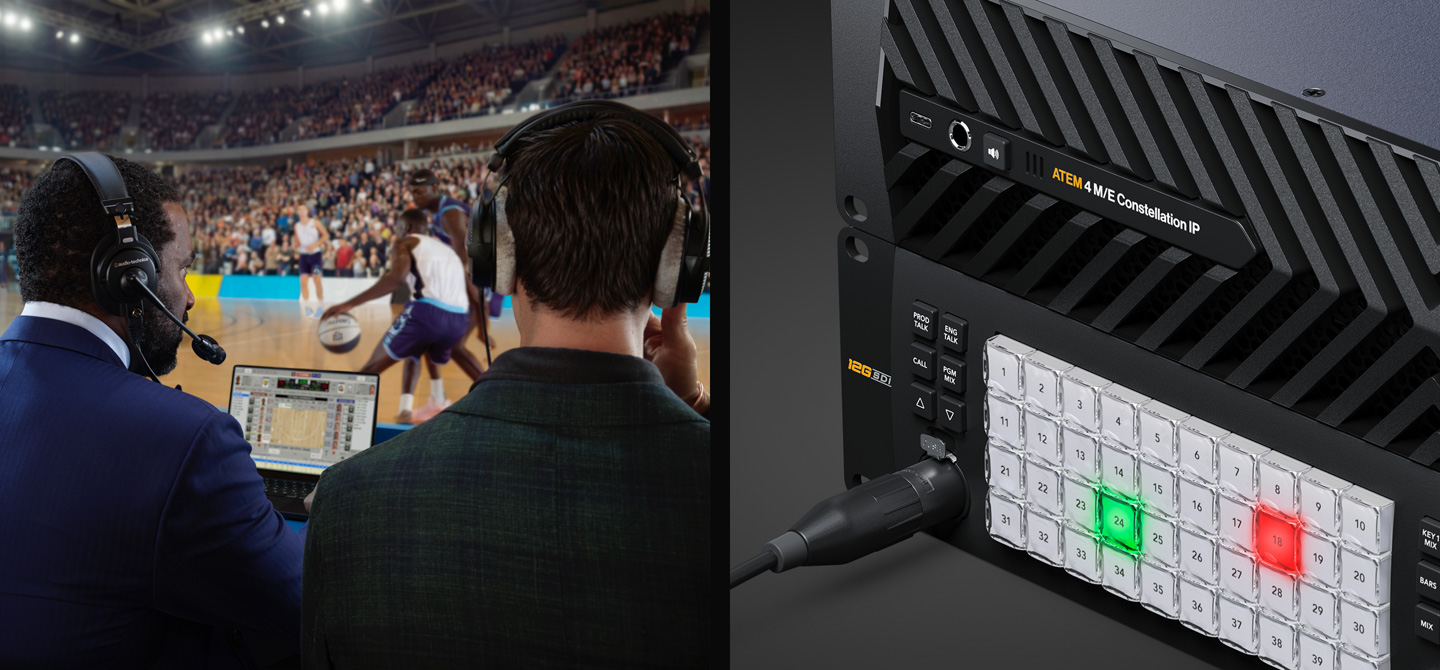
The ATEM 4 M/E Constellation IP has a dramatically different design to other models because it is designed for high end broadcasters. The new design features front to back cooling with 4 fans that are extremely quiet. All connections feature full redundancy with SMPTE-2022-7 on all video ports, plus additional redundancy on the control and PTP Ethernet ports. A built in LCD displays all standard ATEM Constellation status information and provides access to settings menus. The front panel even includes a headphone connection and built-in speaker for local program monitoring! A USB-C connection on the front panel lets you update software or even connect the ATEM Software Control app!

Choose from 2 Native SMPTE-2110 Switcher Models!

ATEM 4 M/E Constellation IP

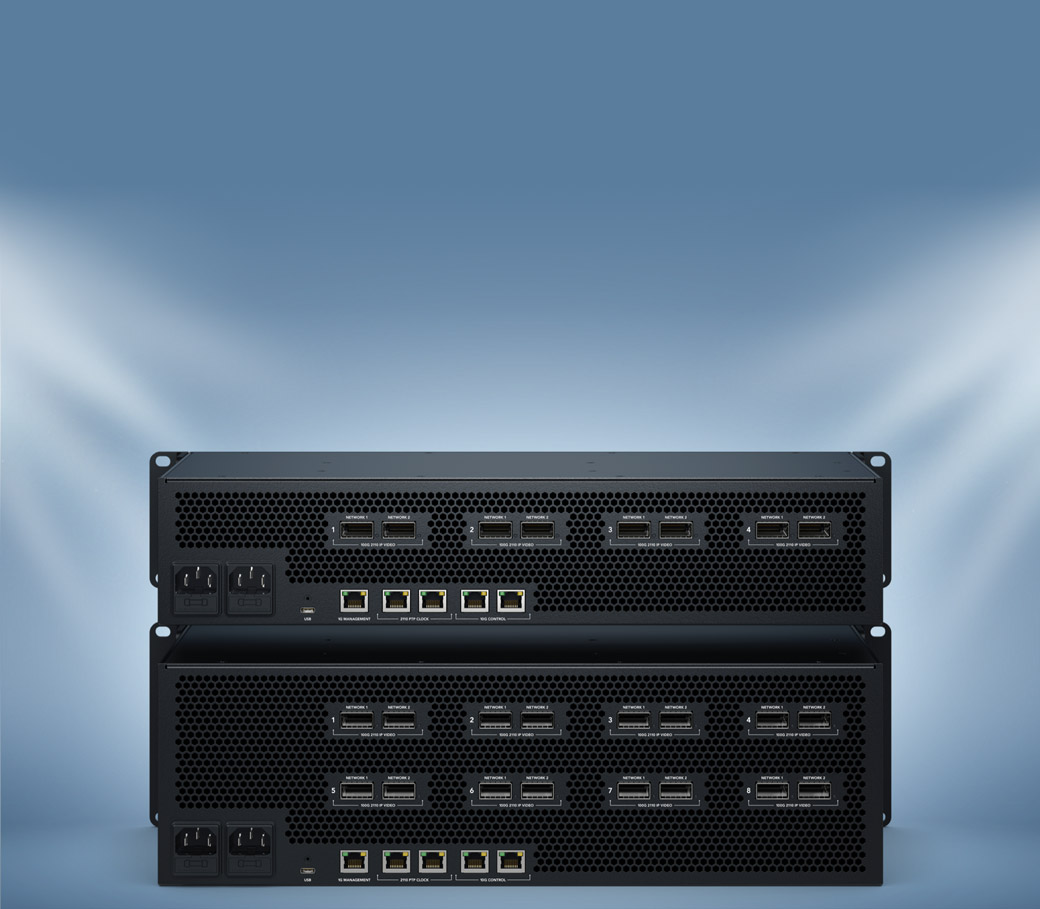
The standard 4 M/E model has 32 standards converted SMPTE-2022-7 inputs using 4 sets of dual redundant 100G Ethernet connections. You also get 24 SMPTE-2110 outputs, 16 ATEM Advanced Keys, 4 multi-views and 2 SuperSource for a total of 12 DVEs.

ATEM 4 M/E Constellation IP Plus

The massive 4 M/E Plus model has 64 standards converted SMPTE-2022-7 inputs using 8 sets of dual redundant 100G Ethernet connections. You also get 48 SMPTE-2022-7 outputs, 16 ATEM Advanced Keys, 4 multi-views and 2 SuperSource for a total of 12 DVEs.

Works with 12G-SDI or SMPTE-2110 IP Video!

Add 12G-SDI

To connect to SDI equipment, simply add a Blackmagic SDI Expander 8x12G. It's bi-directional, with 8 x 12G‑SDI inputs and 8 x 12G‑SDI outputs, for both capture and playback. With multiple Ethernet ports, you can connect a mix of IP and SDI video!


Add 10G IP Video

Connect to SMPTE-2110 equipment using low-cost 10G Ethernet by adding a Blackmagic StudioBridge 10G PWR. It breaks out a single ATEM Ethernet port to 8 x 10G Ethernet 2110 IP video connections. Plus it has 90W of PoE++ power per 10G Ethernet port!


Add 100G Ethernet Switch

You can use any of the ATEM 100G Ethernet 2110 IP video ports to connect 8 switcher input and output channels on a single connection! Just connect to a Blackmagic Ethernet Switch 820. Then you can route to a mix of IP and SDI gear!

Dual 100G Ethernet Connections for Redundant SMPTE 2110!

Dual 100G Ethernet Connections for Redundant SMPTE‑2110!

ATEM 4 M/E Constellation IP features multiple SMPTE-2110 connections using 100G Ethernet, supporting 8 input and 8 output video channels on each connection! The switcher then maps inputs and outputs across its multiple 100G Ethernet connections. Each 100G Ethernet connection has two separate connectors, supporting SMPTE-2110 redundancy, so you can connect each port to a separate network switch. SMPTE 2022-7 Seamless Protection Switching sends two identical video and audio copies across connections, then on the receive side, it compares incoming RTP packets by sequence number and reconstructs a perfect video frame from the first arriving packet of pixels. The switcher is totally seamless!

Dual 100G Ethernet Connections for Redundant SMPTE 2110!

Get Familiar ATEM Constellation Features!

True Broadcast Style Mix Effects Switching True Broadcast Style Mix Effects Switching

True Broadcast Style Mix Effects Switching

ATEM Constellation uses a professional "program/preview" style operation, which is the exact same way large broadcasters use live production switchers. This means you are using the same type of switcher used by the television industry. Both the free ATEM Software Control and the optional hardware ATEM Advanced Panels will allow program/preview style switching. This means you can select a source on the preview bus to ensure it’s correct before pushing the CUT or AUTO button to switch it on air. This 2 step program/preview process means far fewer mistakes! Program/preview operation means ATEM Constellation is the best solution for training students for a career in broadcast television!

Full Standards Conversion and Re-Sync On All Inputs!

Full Standards Conversion and Re-Sync On All Inputs!

One of the advantages of SMPTE-2110 video is normally all network video sources use the same video standard. However live production isn't always as straightforward as theory, as the real world is often chaotic! Sometimes you need to handle video sources that are not operating in the same video standard that your ATEM switcher is set to. ATEM 4 M/E Constellation IP solves this problem because each input video channel has a dedicated standards converter. This means all video sources will be standards converted to the switcher standard automatically. You can simply route any video source into the ATEM 4 M/E Constellation IP and then get a stable video source. Everything just works!

USB Webcam Output for Video Software

USB Webcam Output for Video Software

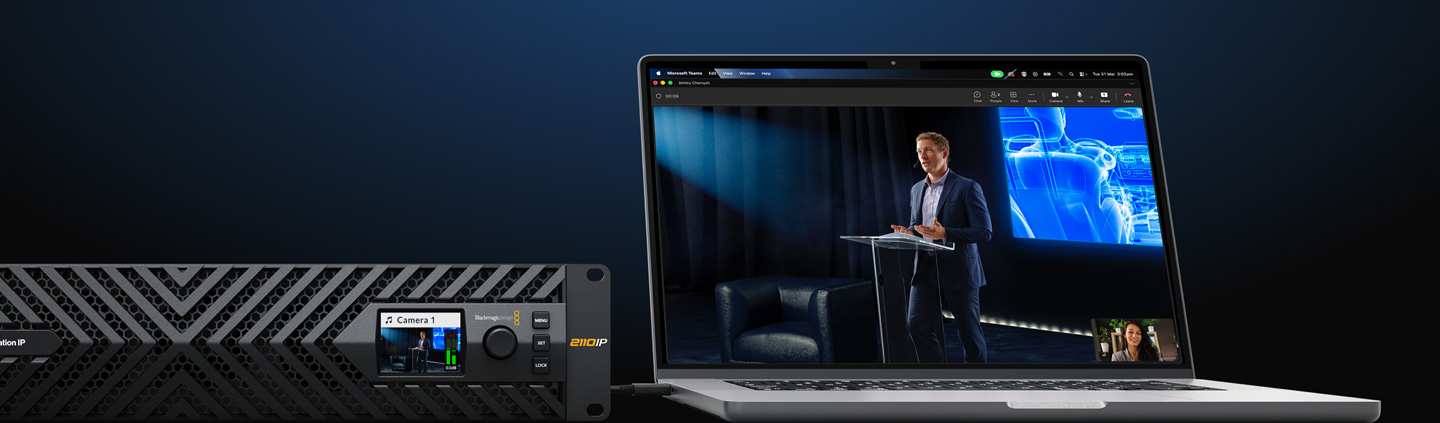
For live streaming, the USB-C connection on the ATEM Constellation IP rear panel can operate as a webcam source. That means you can plug into a computer and get working with any video software! The software is tricked into thinking the ATEM Constellation is a common webcam, but it's really a live production switcher! That guarantees full compatibility with any video software in full resolution 1080HD quality. Choose any software you like, such as Zoom or Microsoft Teams for a new way to do presentations with a professional multi-camera, broadcast quality style! The ATEM Constellation webcam output also works with streaming software such as Open Broadcaster, XSplit Broadcaster and more!

USB Webcam Output for Video Software
Choose from Hardware or Software Control Panels

Choose from Hardware or Software Control Panels

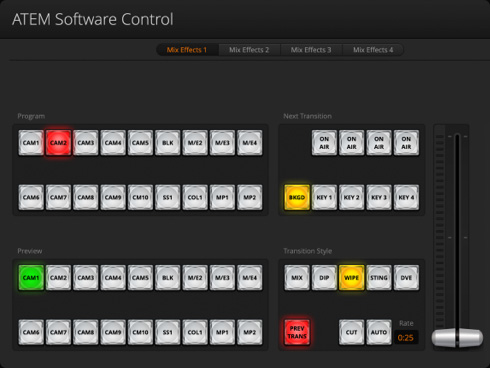
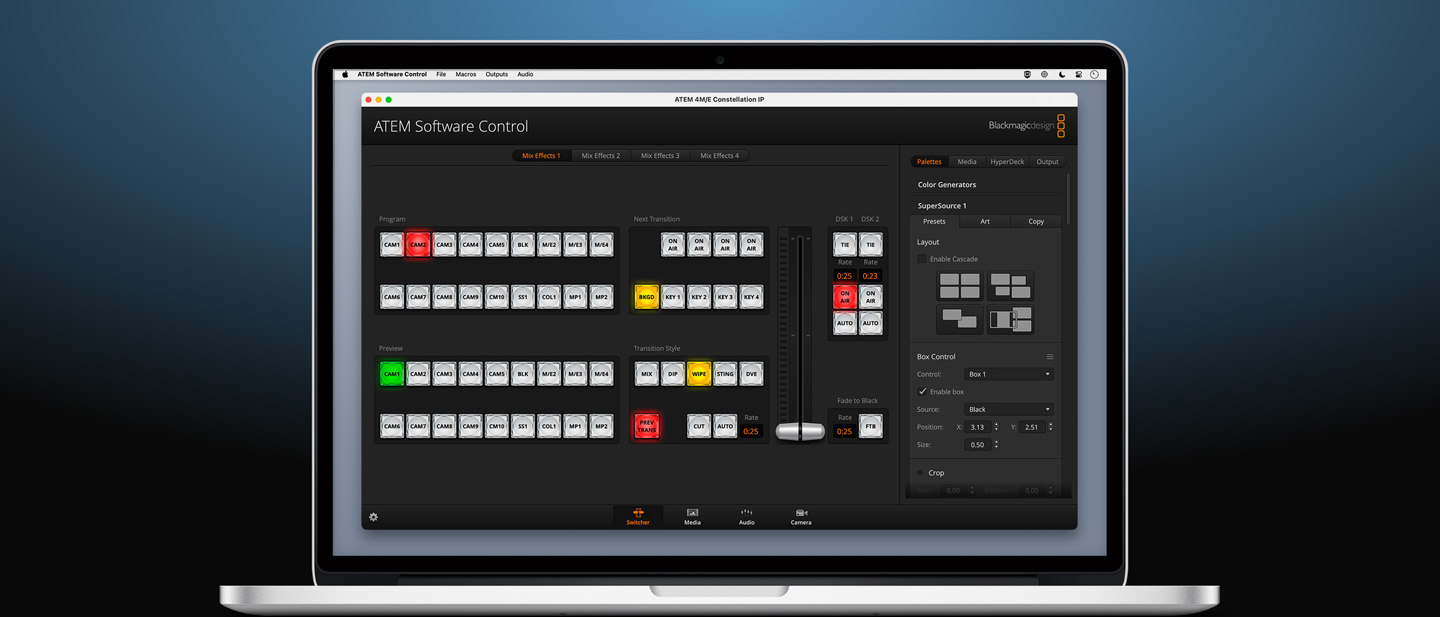
All ATEM switchers feature a wide range of hardware and software control options, plus it’s possible to share control panels between all ATEM models for different events. Included with ATEM Constellation is a free software based control panel for Mac and Windows. The software connects to the switcher via Ethernet or USB and you can control the switcher, upload media, mix audio and control cameras. Then, when you need more power, you can add an ATEM Advanced Panel for professional switching or an ATEM Camera Control Panel for controlling cameras. There's even an ATEM developer SDK so you can build your own custom automation control solution!

Multiview

Multiple Multi-views with Labels, Tally and Meters

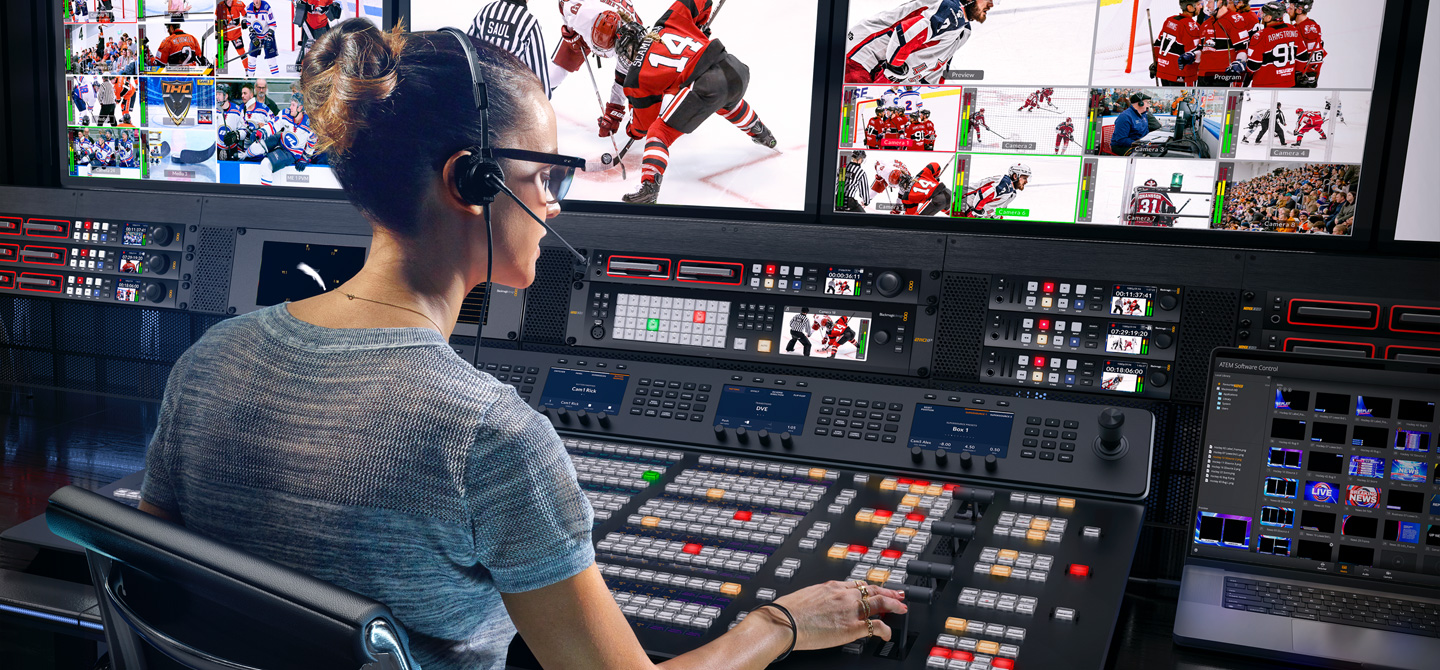
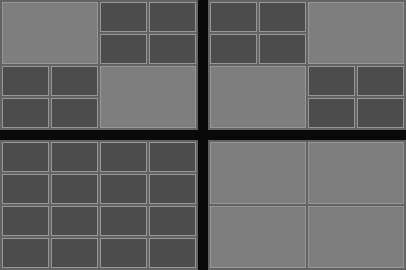
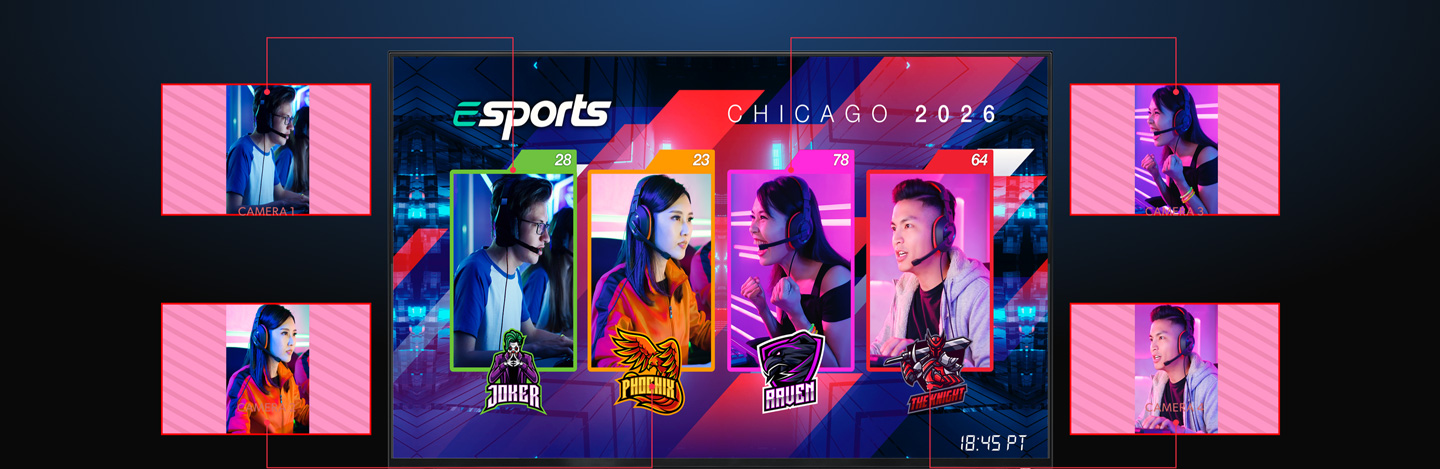
Monitor all your sources on a single monitor with the built-in multi-views! Both ATEM 4 M/E Constellation models have 4 independent multi-views! Like all the video inputs and internal sources, the multi-views can be routed to any of the SMPTE-2110 100G Ethernet connectors. All multi-views are customizable and can be independently set to 4, 7, 10, 13, or 16 simultaneous views. That’s a massive 64 views across 4 monitors on both models of ATEM 4 M/E Constellation IP. You can also add a tally border, source label and VU meters as overlays on each view. A red and green border will display the tally for each view, indicating which sources are on air.

ATEM 4 M/E Constellation IP features 4 HD multiview outputs so you can see up to 64 different views from cameras, program and preview outputs, and more spread across 4 screens!

TV screen
Transition sizer Transition frame Transition frame
Click on transition icons below
Choose from instantly available wipe, mix, dip, DVE and stinger transitions!

Broadcast Transitions, DVE, Stingers and More!

ATEM Constellation includes a wide range of broadcast quality native transitions such as mix, dip, wipe, and more. All transitions can be customized in the system control menus with adjustments for border color, border width, position, direction and a lot more! The ATEM Constellation switcher includes a powerful digital video effects processor for DVE transitions, which can be used to squeeze the current picture off screen revealing a new video under it. The DVE can even be used to create graphic wipe transitions. To eliminate errors, ATEM Constellation features a preview transition feature so you can set up your transitions before you switch it on air!

Built in DVE for Video Effects

Built in DVE for Video Effects

ATEM Constellation features up to 4 independent DVEs, depending on the model, that let you reposition graphics and create picture in picture compositions. You get amazing quality and the DVE supports position, resize and scale, all in real time. The DVE lets you create professional picture in picture effects with customizable 3D borders, shadows and lighting. DVEs can also be used to create amazing DVE transitions with squeeze and swoosh effects for adding excitement to your programming. You can even combine DVE transitions with custom graphics to create your own graphic wipe transitions! Plus you also get 2 independent SuperSource processors for even more DVEs. That's 12 DVEs in total!


Internal Media for Stills and Motion Graphics

Internal Media for Stills and Motion Graphics

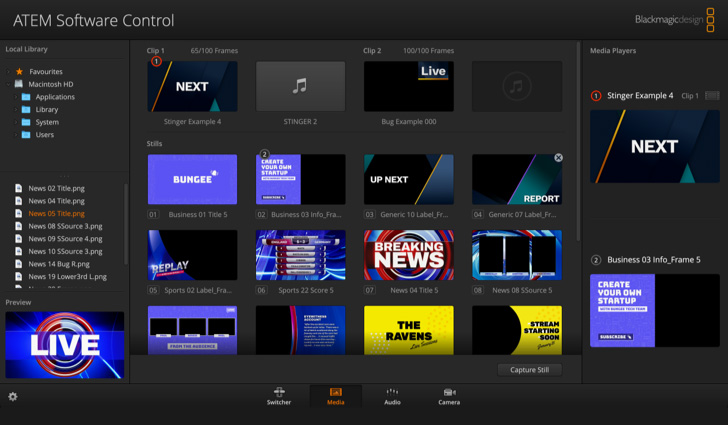
The built in media pool stores broadcast quality RGBA graphics and animations that can be played back instantly by the 4 media players. Media players simply appear as additional input sources on the ATEM Constellation, so you don’t have to use extra inputs for graphics. The built in media pool holds graphics for use with the media players and you get a total of 60 stills and up to 400 frames of animation. Animated graphics are fantastic for use as stingers! You can easily manage all of your media using the included ATEM Software Control or download directly from Photoshop using the ATEM Photoshop plug-in.


Includes New ATEM Advanced Chroma Key!

Includes New ATEM Advanced Chroma Key!

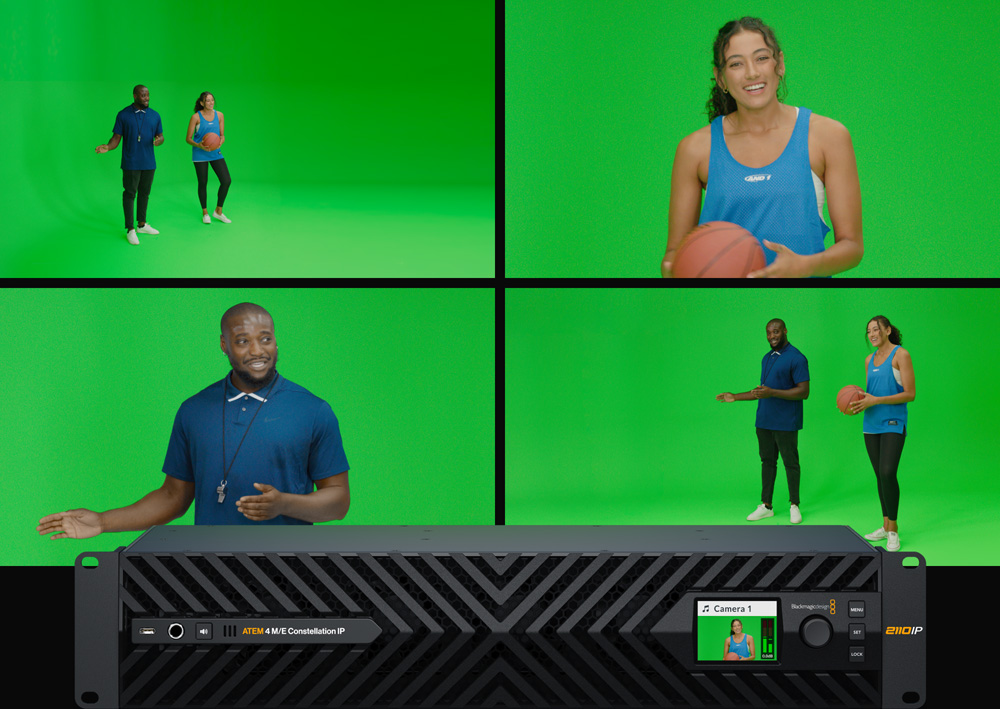
For news or virtual set work, ATEM Constellation is perfect as it features lots of ATEM Advanced Keyers for high quality chroma or luminance keying! The chroma keyer is incredibly powerful and features a color picker to sample background colors for automatic generation of the key parameters. You get precise controls for edge and flare, and there is even a foreground color corrector so you can match the "look" of the foreground layer to the background layer making seamless compositions possible. The keyer can also be used for pattern and DVE keying! You get 4 ATEM Advanced Keyers per M/E row, so this means you get a total of 16 ATEM Advanced Keyers on a 4 M/E switcher!

Create Amazing Virtual Sets Create Amazing Virtual Sets

Create Amazing Virtual Sets

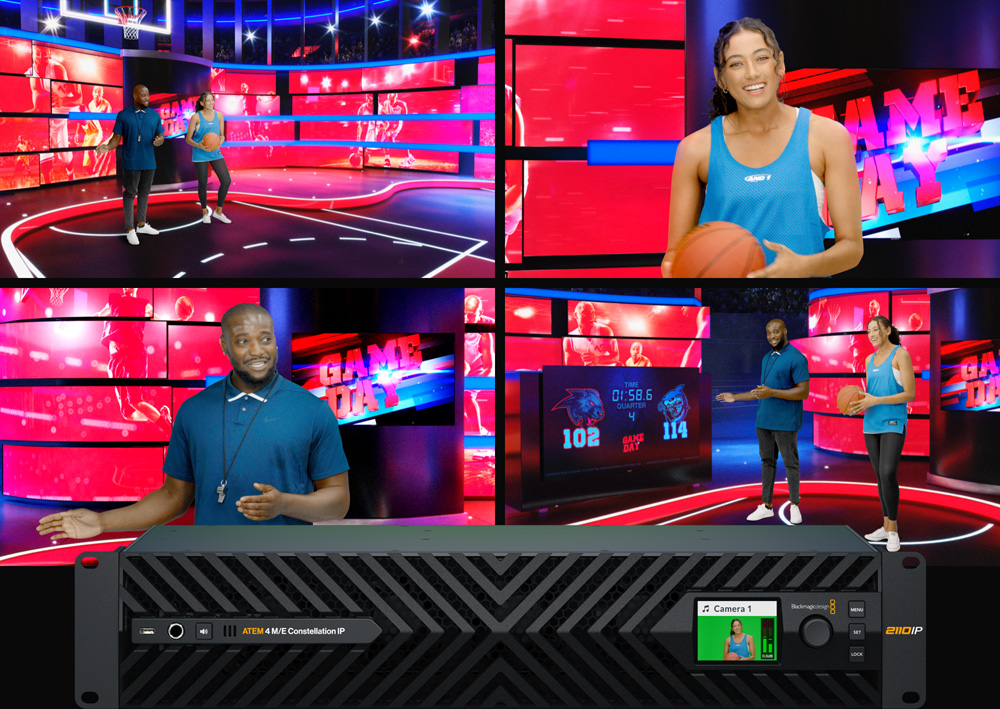
With 4 upstream chroma keyers per M/E row, you get the perfect solution for building virtual sets! With so many chroma keyers, you can use a keyer per camera to create a seamless composition of the camera over the custom background. Even when using a single M/E row, you have enough keyers to generate a 4 camera virtual set! You can use external image processors for virtual sets, or you can even build a fixed camera virtual set by loading pre rendered still image backgrounds from the media players and media pool. You can set up macros to change cameras and load the correct background into the media players! With so much flexibility, you can experiment to try out different studio setups!
Powerful SuperSource Processing!

Powerful SuperSource Processing!

In addition to the DVEs in the M/E rows, you also get powerful SuperSource multi layer processors, with 4 extra DVE layers plus a background layer, that all appear to ATEM Constellation as an additional input source. Any switcher video input can be used for each SuperSource DVE, then it’s all layered together over a media pool custom background. SuperSource is just like having an extra multi-layer VFX switcher built in! SuperSource is perfect for doing picture in picture displays for interviews because you can set up the effect while keeping the main DVEs free for other tasks. With 2 completely independent SuperSource processors, you can use them together to get 8 view compositions!

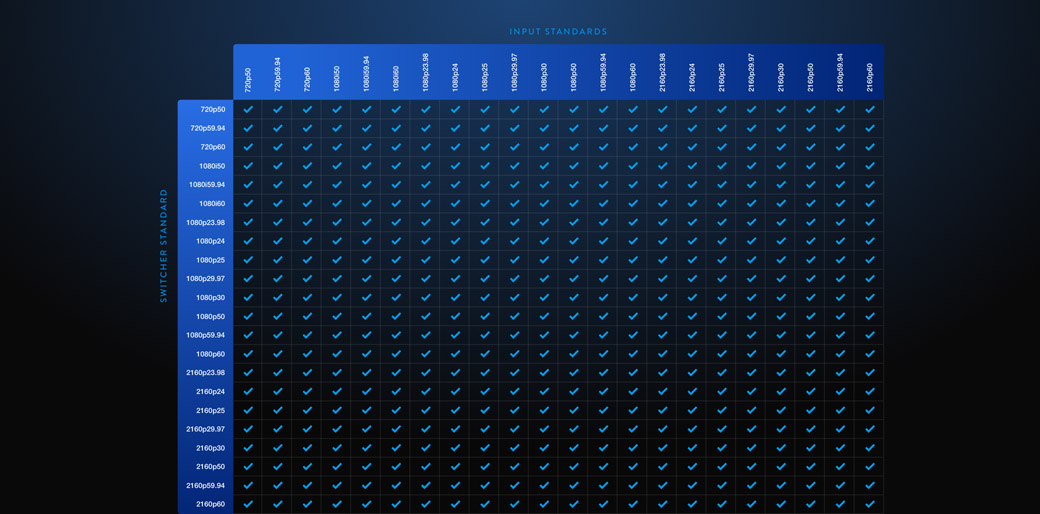
Works in All Broadcast HD and Ultra HD Video Standards

Works in All Broadcast HD and Ultra HD Video Standards

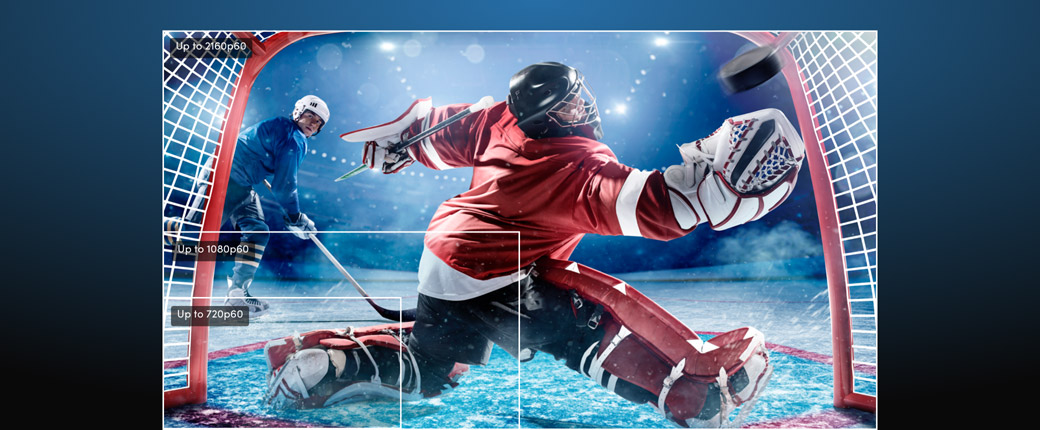
ATEM 4 M/E Constellation IP supports all popular broadcast video standards. Plus the standards converters on all switcher input channels mean you can work with different video standards all at the same time. ATEM 4 M/E Constellation IP can be switched to different HD and Ultra HD television standards, including 720p, 1080i, 1080p and 2160p up to 60p. This is critical when you need to instantly adapt to the needs of the job you are doing anywhere in the world! Plus you can still send talkback, tally and control to SDI equipment if you connect a Blackmagic SDI Expander 8x12G. Then you can connect these SDI switcher outputs back to a camera for program return, camera control and talkback.

Supports Fairlight Live for Surround Sound Mixing!

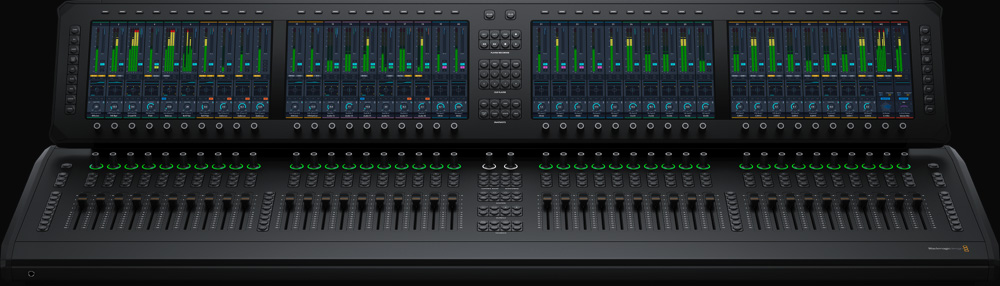
Fairlight Live is the world’s most powerful 2110 software audio mixer designed for broadcast and live events! It can handle thousands of channels when running on modern Mac and Windows computers. Plus it’s free to download! It supports routing audio to and from ATEM Constellation switchers via USB. Unlike hardware mixers, it natively supports stereo, surround and immersive audio. It includes powerful features such as 3rd party plug-in support, AFL/PFL Solo, talkback and advanced input controls such as remote gain and dual inputs! You also get a cue player, snapshots, internal matrix and more! Plus you can run more than one system for multiple simultaneous users or full redundancy! Learn More

Fairlight Console

Fairlight Live Audio Panel 40

True Professional Broadcast Talkback

True Professional Broadcast Talkback

All ATEM 4 M/E Constellation switchers have simple built-in talkback that uses audio channels 15 and 16 for 2-way communication with Blackmagic Design cameras. But Fairlight Live has multiple talkback busses as well as full audio channel routing on the ATEM 4 M/E Constellation IP, so this means you can have as many talkback busses as you need. So you get even better talkback, including camera and engineering loops, commentator busses, and separate mixes for everyone, right from the Fairlight Live software. All you need to do is route the talkback bus to channels 15 and 16 of any special ATEM output and then send that output to the cameras or commentators you want on that talkback bus.

Includes Free Software Control Panel

Includes Free Software Control Panel

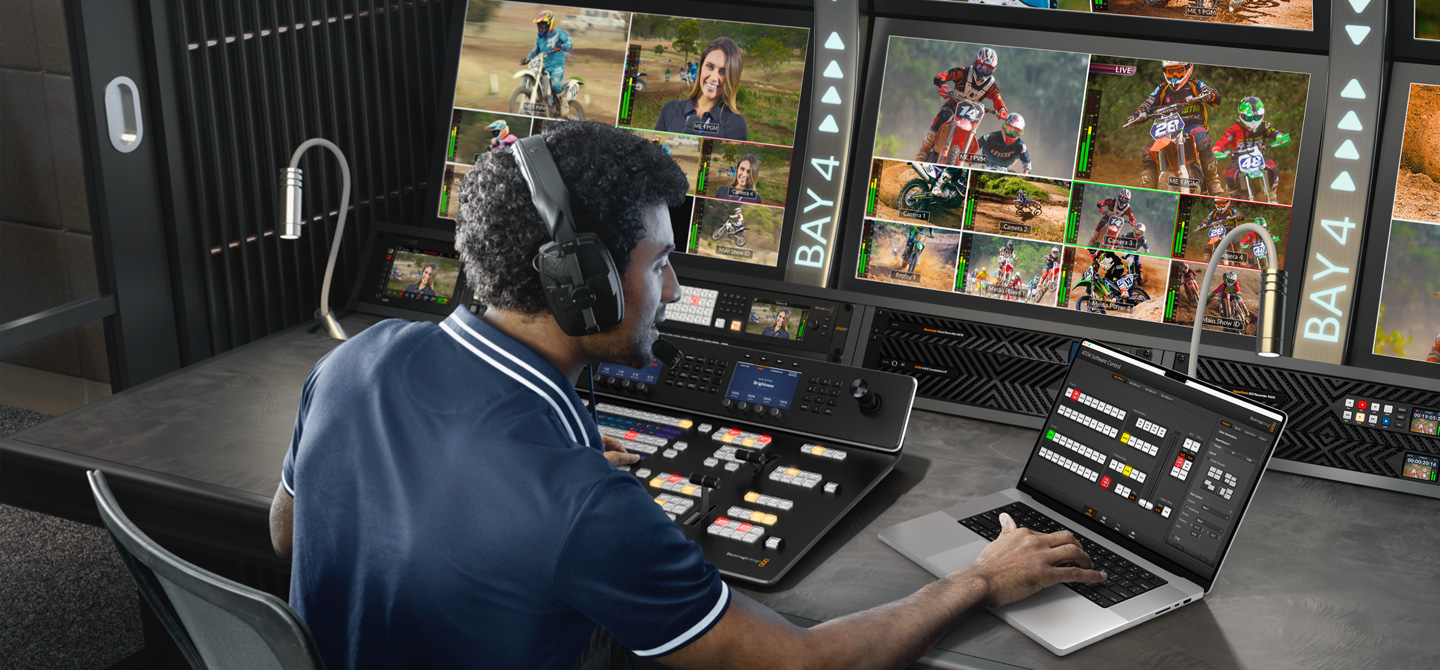
The ATEM Software Control Panel gives you total control over your switcher and is included free. The ATEM Software Control Panel features a beautifully designed interface with a visual switcher and parameter palettes for making quick adjustments. Multiple users can connect to the switcher via Ethernet and all work on different parts of the event at the same time! The ATEM Software Control also lets you access camera control, audio mixing, media, macro programming and even control of HyperDeck disk recorders. You can even save the full state of the switcher as XML files, plus all media is backed up from the media pool. Plus you can run the software on Mac or Windows!

Add the Speed of an ATEM Advanced Panel

Add the Speed of an ATEM Advanced Panel

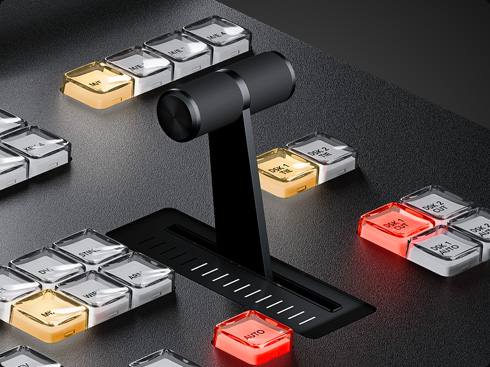
All ATEM Constellation switchers have a range of ATEM Advanced Panels you can choose from. ATEM Advanced Panels feature an industry standard M/E style layout. Each panel has built-in LCDs for menus, high quality buttons with customizable illumination color, a DVE joystick, and a T-bar fader. You can even set up and trigger macros! All rows of M/E buttons have integrated LCDs for dynamic input button labeling. Even the smaller panels can drive a 4 M/E switcher because you can select the M/E row you want to control. You can add a 2 M/E Advanced Panel in either 10, 20 or 30 input button models. Or the massive 4 M/E model features 4 M/E rows with 40 input buttons per row!

Add a Rack Mount ATEM Monitoring Rack Panel

Add a Rack Mount ATEM Monitoring Rack Panel

The ATEM 4 M/E Constellation IP's broadcast style design features front-to-back cooling so there is limited space for front panel controls. To solve this problem you can add an ATEM Monitoring Rack Panel into your rack! It has the same controls as regular ATEM Constellation SDI models, but it's an independent monitoring converter and control panel combination. It features a rack mount design with premium buttons for operating your ATEM 4 M/E Constellation IP switcher! There's even a dedicated Ethernet control port! It also functions as a redundant 10G Ethernet SMPTE-2022-7 to 12G-SDI and HDMI converter for local video monitoring. There's even a 5 pin talkback interface on the front panel!

Get Industry Standard Professional Camera Control

Get Industry Standard Professional Camera Control

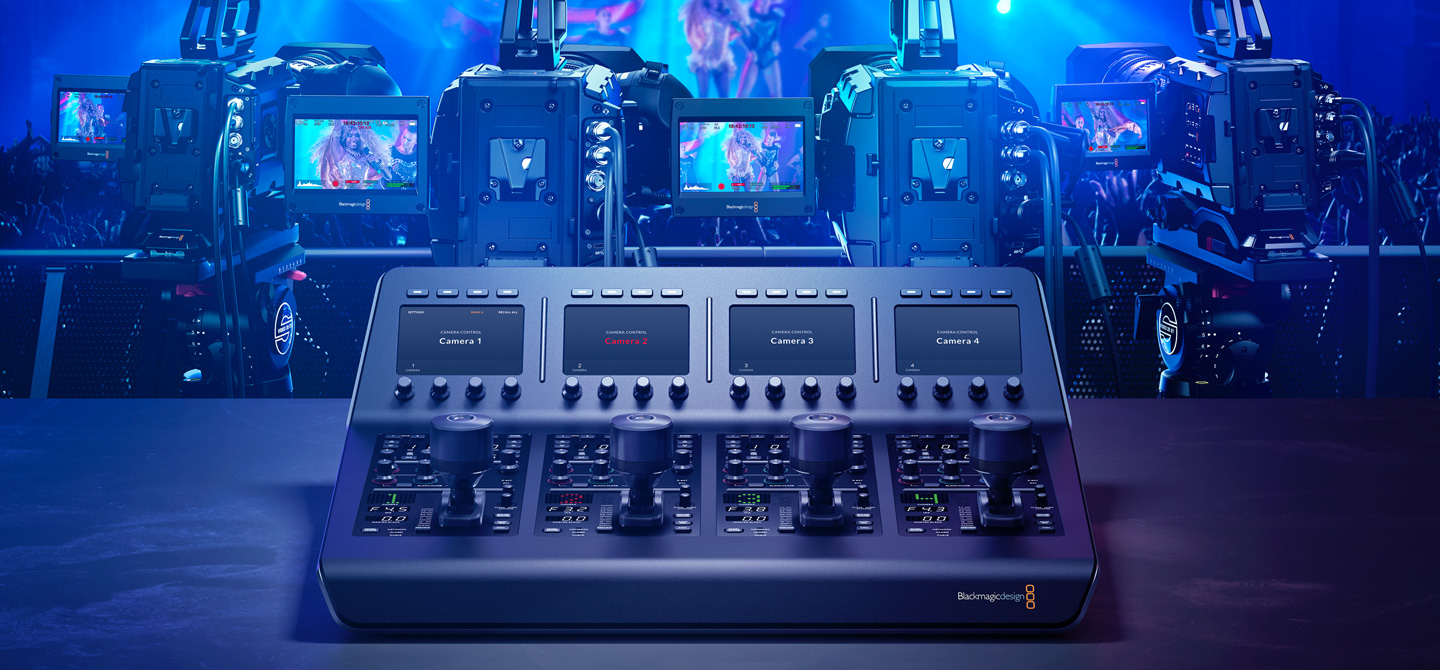
The new ATEM Camera Control Panel provides 4 industry standard camera controllers for the same workflow as camera chains costing hundreds of thousands of dollars! Designed to be portable, ATEM Camera Control Panel can be placed on a desktop or on a slide out rack shelf. All control commands are sent to the cameras using the SDI camera control protocol on Blackmagic URSA Broadcast and Blackmagic Studio Cameras, and REST API on Blackmagic URSA Cine 12K. You get dedicated controls including CCU style joystick and controls for RGB camera color, master gain, black, iris and more. Plus all controls are arranged in a familiar broadcast layout perfect for both experienced or new operators!

No Monthly Fees and No Hidden Costs!

No Monthly Fees and No Hidden Costs!

When you buy ATEM switchers, you get all features included with the one purchase price. That means you get all features enabled and always ready for use! There are no license fees to allow you to use features and no ongoing monthly costs. This means you'll never experience a license expiring 5 minutes before your program starts! Advanced features such as multi-view, SuperSource, DVEs or the ATEM Advanced Keyers are always enabled and always available! Plus, you can use the free ATEM Software Control on an unlimited number of computers. That’s important when you divide up the workload with separate people for audio mix, graphics prep, camera control and switcher operation!

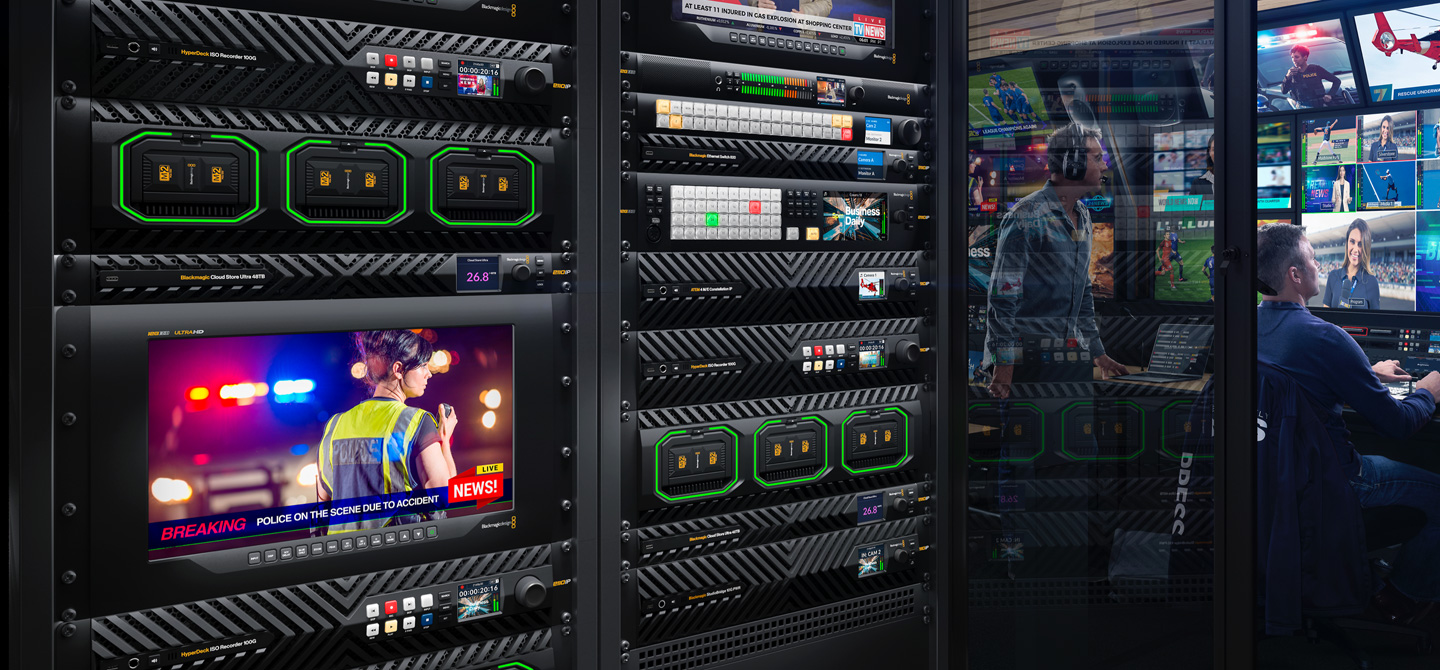
Build 100G Ethernet SMPTE-2110 IP Video Systems!

Build 100G Ethernet SMPTE-2110 IP Video Systems!

HyperDeck ISO Recorder 100G

HyperDeck ISO Recorder 100G is designed for live production as it can simultaneously record 8 cameras to ProRes files on network storage. These recordings can be edited later or used in real-time live action replay with DaVinci Resolve! It also has redundant 100G Ethernet ports for SMPTE-2022-7.


Blackmagic SDI Expander 8x12G

Convert all your 12G-SDI equipment, including cameras and monitoring systems, to modern 100G Ethernet based SMPTE-2110 systems. Supports eight 12G-SDI inputs and eight 12G-SDI outputs in all HD and Ultra HD video standards up to 2160p60. It even has redundant SMPTE-2022-7 100G Ethernet connections!


Blackmagic StudioBridge 10G PWR

Connect to 10G Ethernet based SMPTE-2110 cameras and converters! This bi-directional SMPTE-2110 video converter will connect redundant 100G Ethernet to 8 separate 10G Ethernet connections. This is designed to bridge 10G links into redundant 100G systems. Includes 90W of PoE++ on each 10G Ethernet.


Blackmagic URSA Cine 12K LF 100G

Shoot live with Blackmagic URSA Cine 12K! Imagine live production shot using a revolutionary digital film camera with large format RGBW 36 x 24mm sensor, 16 stops of dynamic range, optional PL, LPL, EF and B4 lens mounts and SMPTE-2110 video up to 440fps using its 100G Ethernet connection!


Blackmagic Ethernet Switch 820

Connect and route all your 100G Ethernet equipment with the Blackmagic Ethernet Switch 820! You get a high performance low latency Ethernet switch, with 8 ultra fast 100G Ethernet connections and 2 high speed 10G Ethernet ports, plus redundant PTP clock ports and NMOS protocol for 2110 IP control.

Next Page - Features

Next Page

Features

Features Arrow

Arrow

Software Control Arrow

Arrow

2110 Settings Arrow

Arrow

Advanced Panel Arrow

Arrow

Camera Control Arrow

Arrow

Tech Specs Arrow

Arrow

ATEM Constellation IP

New
ATEM 4 M/E Constellation IP

ATEM 4 M/E Constellation IP

Large 4 M/E Ultra HD switcher with native SMPTE-2110 connections via 100G Ethernet. Get 32 inputs and 28 outputs, 16 ATEM Advanced Keyers, 4 multi-views and 2 SuperSource for a total of 12 DVEs.

£6,399

Find Reseller
New
ATEM 4 M/E Constellation IP Plus

ATEM 4 M/E Constellation IP Plus

Massive 4 M/E Ultra HD switcher with native SMPTE-2110 connections via 100G Ethernet. Get 64 inputs and 52 outputs, 16 ATEM Advanced Keyers, 4 multi-views and 2 SuperSource for a total of 12 DVEs.

£10,445

Find Reseller
New
ATEM Monitoring Rack Panel 20

ATEM Monitoring Rack Panel 20

Rack mount 1 RU ATEM switcher control panel with built in monitoring converter. Includes 20 input buttons, talkback connections and redundant 10G Ethernet SMPTE-2110 to 12G-SDI and HDMI converter.

£775

Find Reseller
New
ATEM Monitoring Rack Panel 40

ATEM Monitoring Rack Panel 40

Rack mount 2 RU ATEM switcher control panel with built in monitoring converter. Includes 40 input buttons, talkback connections and redundant 10G Ethernet SMPTE-2110 to 12G-SDI and HDMI converter.

£1,285

Find Reseller